Google

47 posts in Google

Nexus 5 LCD swap

· google, hardware

I had two Nexus 5 with cracked LCDs.

I got these from China, including the Bezel (~$5 more expensive, and doesn’t make you have to fizzle around with a heat gun to detach the old LCD – but you’ll have to work from the backside, and remove all hardware components).

IMG-20150923-WA0011
As for the LCD itself, it works well so far (touch, colours), but the finishing is of lesser quality (molding isn't the same, the black paint is a bit too light near the audio & camera holes), less to none anti static tape, LCD components don't seem to be the same, or the protection is fairly different. So quite sure this isn't an official LG LCD.

All in all changing the LCD was fairly easy and straight forward. Be careful removing the back pane (plastic), the small little feet break off easily. And as usual, be careful when removing the battery, it’s glued with two-faced tape, and you don’t want to damage it.

Nexus 6

· google, hardware

After 10 days of Nexus 6… And it already falling out of my pocket when I got out of the car (it survived, but it’s scratched on the sides)…

All I can say is: I WANT MY NEXUS 5 BAAAAAAAAACK.

So when N5 2015 is released, I’ll have a Nexus 6 for sale!

Why did I switch?

  • GPS fucked
  • Battery fucked (recharging 2-3x per day)
Comments about the Nexus 6 plus sides:
  • big display & resolution is fun,
  • it is smooth & fast,
  • it does last the day,
  • The OLED display light up is really fun (e-ink style), but I wonder how many battery it actually drains and it's usually too short to actually check what notification came in
Downsides:
  • I can't type with one hand
  • I almost dropped my phone a bazillion times attempting to type with one hand ... My right thumb doesn't reach letter A/Q buttons
  • The back is curved, it's thus impossible to put the phone down on a table, and for example pulling down the notification list with only one hand (the phone starts spinning and moving)
  • The latex-ish build of the Nexus 5 was really really really cool. The N6 is regular hard plastic.
Holding my N5 now feels kinda cute-sy and small.

Waze not getting a GPS fix

· errors, google, hardware, software

TL;DR: recalibrate your compass.

I’ve come across an issue for the past 10 days that Waze kept losing its GPS fix. This meant:

  • constantly switching between 0 and 120 (or whatever) km/h
  • constantly zooming in & out on maps (dynamic zoom level depending on speed)
  • being in a field/not on the road for most of the time, or stuck to a location of many minutes ago
  • often & randomly losing GPS fix (ie middle of the highway without any buildings blocking the line of sight)
  • I could do a 45 minute trip with Waze never getting a GPS fix
  • not knowing road issues (accidents, traffic jams ahead, speed traps, etc)
Things I tried:
  • nothing changed (no new car window, didn't move my phone location in the car, etc)
  • not moving (ie parked car) didn't really improve the GPS fix
  • even left my phone with Waze on in the car for 30 minutes parked (got a fix, but later that evening when driving home it started to lose its GPS fix again)
  • clear Waze cache
  • uninstall Waze completely
  • GPS Essentials showed a fix with 3 or more GPS satellites when Waze couldn't get a fix
  • I was about to find a way to reset my GPS and/or clear its cache (???)
PS: I have had this issue in the past (I believe with the same phone, a Nexus 5), but it went away after several days.

What I did notice, however, is that in Google Maps the arrow (clicking the pin point button twice or something) was pretty much showing the opposite direction of how the car was moving (thus driving backwards at ~120km/h). This made me think, as I know the GPSes in smartphones are quite cheap and aren’t always on (to save battery – my phone is always being charged in the car though) and the phone uses the accelerometer and other sensors to “guess” current path (or rather, path changes, ie taking a turn or slowing down/accelerating).

Location history heatmap

· google

Toy of the day. Data since the beginning of time (4-5 years ago), with Latitude. Some places (like Venice, Shanghai) seem to be missing.

Belgium:

belgium

Flanders (small point radius):

flanders small

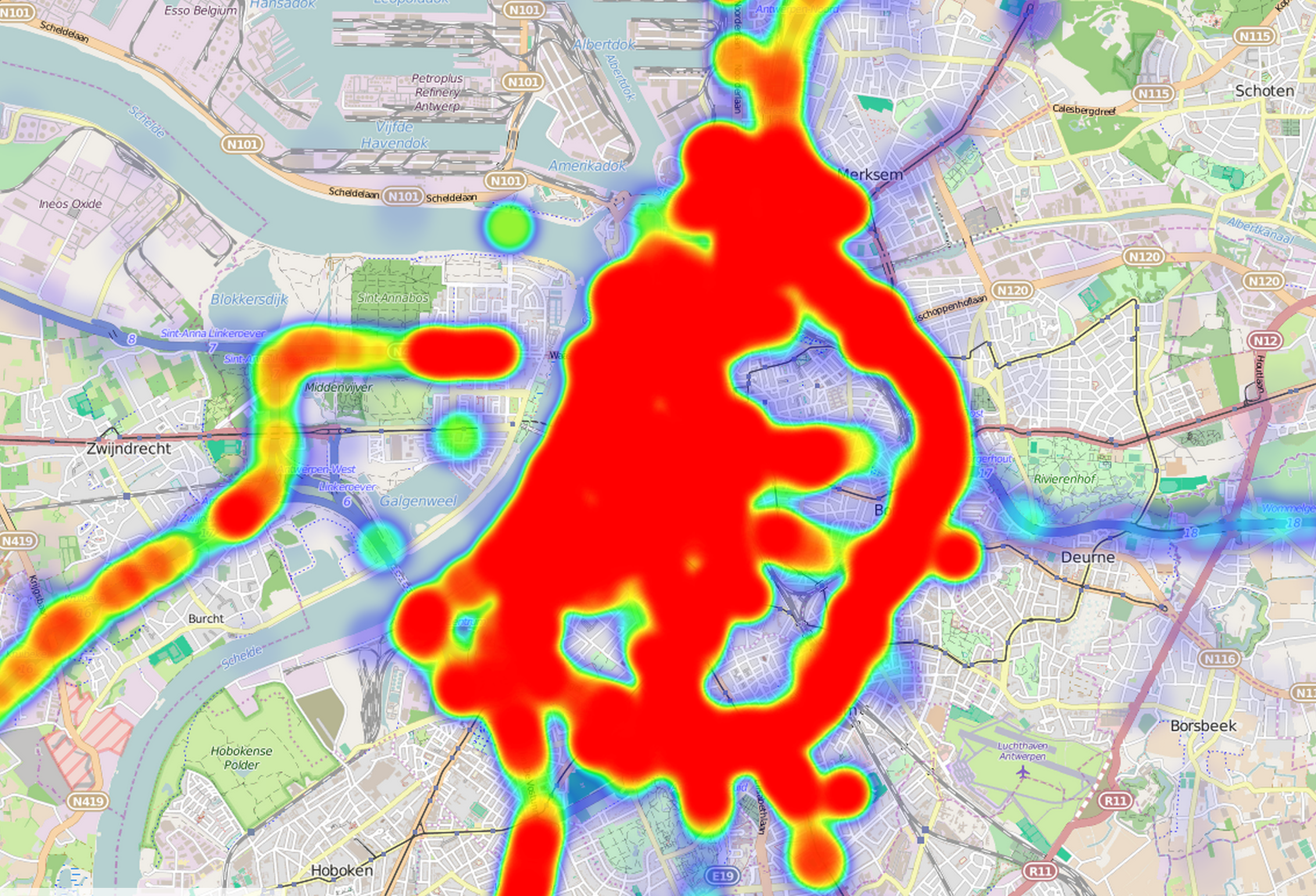
Antwerp:

antwerp

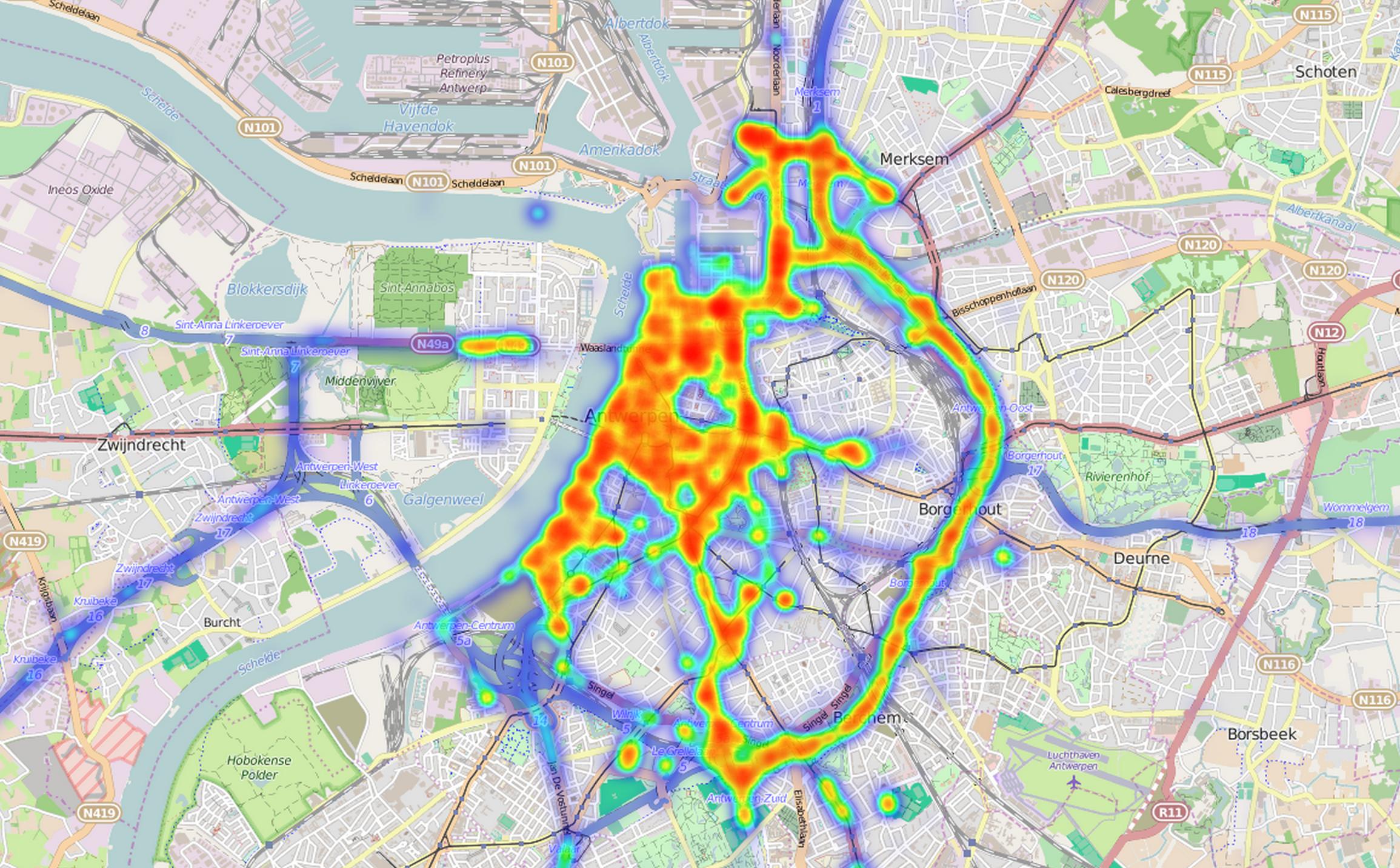
Antwerp with smaller point radius:

antwerp small

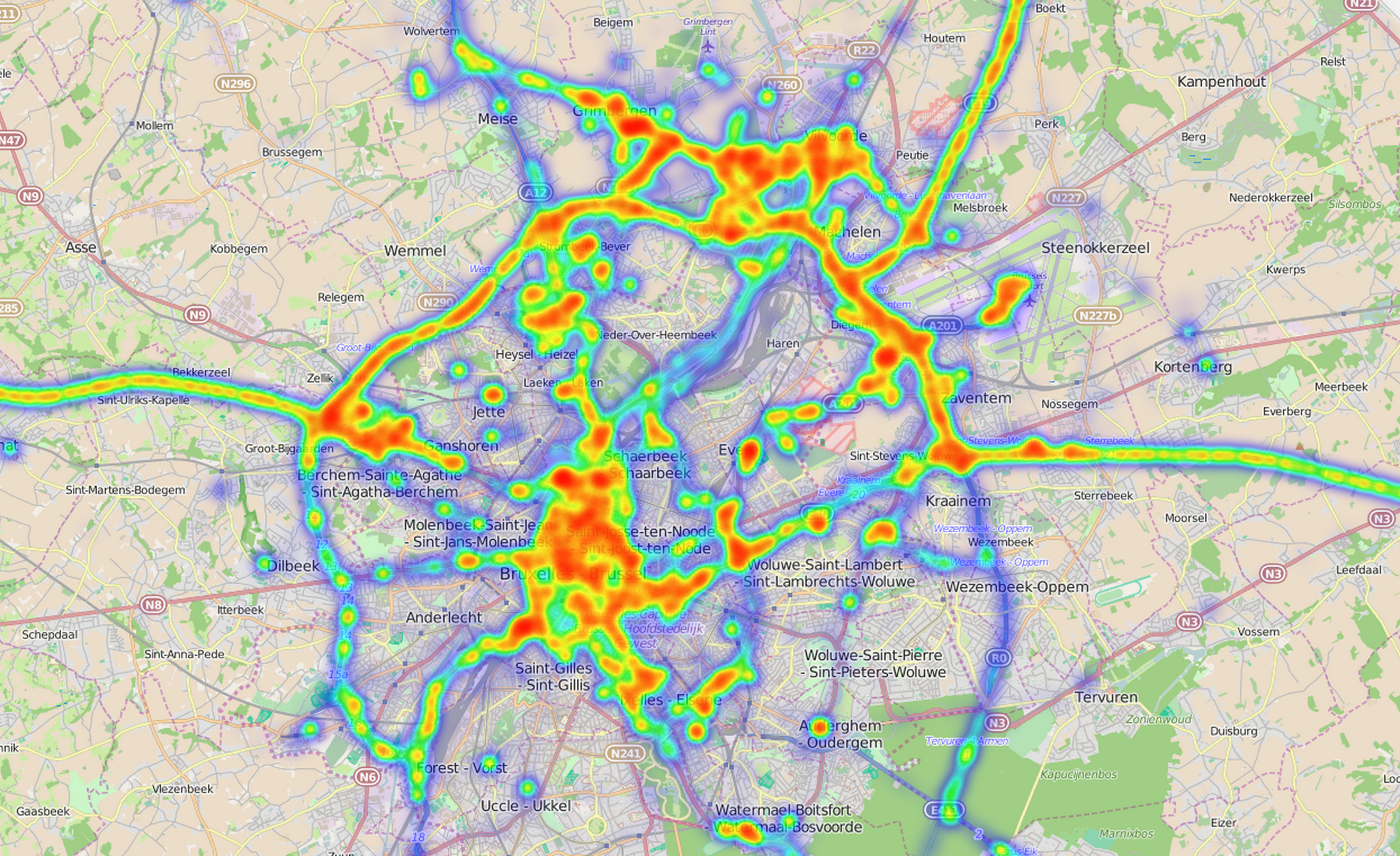
Brussels (small radius):

brussels small

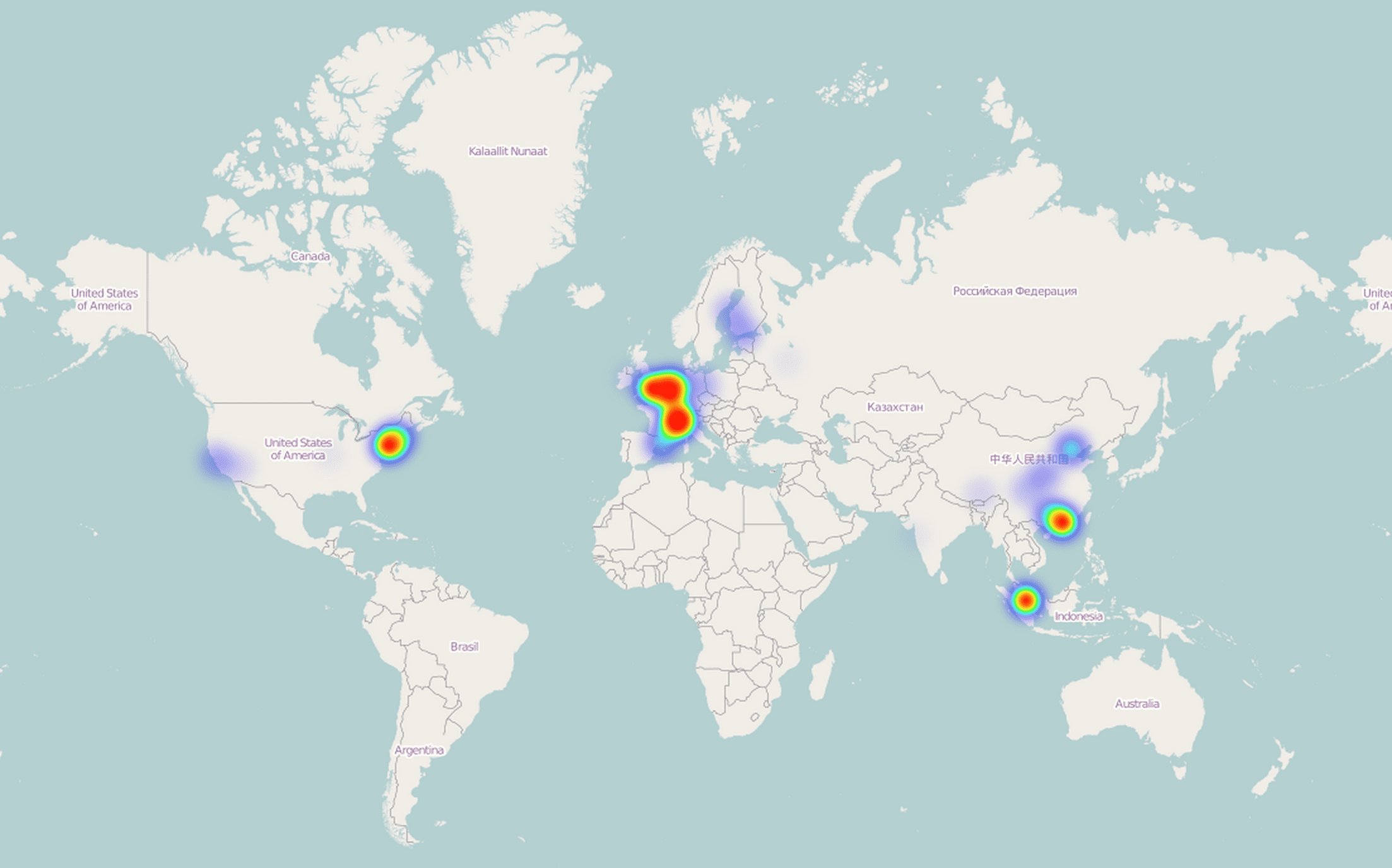
World (medium sized radius):

world

It seems to have some points of when I didn’t have internet (ie Macau, but also China & HK) – but notably less. My transits in India (New Delhi & Mombai) and Russia are vaguely noticeable. Didn’t have internet there either.

Gmail (& Google Apps) & IPv6

· google, linux, networking

It seems that Google’s anti spam measurement for IPv6 is basically checking if the IP has a reverse DNS. If not, reject the e-mail:

This is the mail system at host rootspirit.com.

I'm sorry to have to inform you that your message could not
be delivered to one or more recipients. It's attached below.

For further assistance, please send mail to postmaster.

If you do so, please include this problem report. You can
delete your own text from the attached returned message.

The mail system

<xxx@gmail.com>: host
gmail-smtp-in.l.google.com[2a00:1450:4013:c01::1b] said: 550-5.7.1
[2001:1af8:3100:a00a:21::1010 12] Our system has detected that
550-5.7.1 this message is likely unsolicited mail. To reduce the amount
of spam 550-5.7.1 sent to Gmail, this message has been blocked.
Please visit 550-5.7.1 http://support.google.com/mail/bin/answer.py?hl=en&answer=188131 for 550 5.7.1 more information. df5si15766518wjb.42 - gsmtp (in reply to end of DATA command)

There is no difference if the mail is a one word e-mail or a wall of text that crits over 9000.

Yard Sale: Nexus 7 3G (1st gen)

· google, hardware

More sales

This time a Nexus 7 (with 3G). This is the first generation, but still running the latest version of Android (Kitkat, 4.4.2 – and rumoured to get the 4.4.3 update soon). It’s the 32Gb version (~27.5Gb of usable space). This device was bought in the US of A, as the 3G version was (or is) not for sale in Europe.

I’m selling it because I don’t have enough use cases for a tablet. It’s great on a plane, it’s great on a train… But I don’t fly as often anymore, and I certainly never take the train. And in many cases I just use my laptop instead (I’m too much of a power user for a tablet, I’m afraid).

4.4.x & Nexus 7 (2012/v1)

· google, hardware

New Android, once more a laggy device. Thank you Google.

My Nexus 7 (1st generation, 2012 model, with 3G) is encrypted, so I guess that might also slow everything further down.

Three things I did to solve the lagginess:

  • Wipe cache (howto),
  • Clear space (I had some movies left on it, deleted a few big files and it seemed to instantly pay off),
  • For some odd reason turning off WiFi optimalisation (advanced settings of WiFi) seemed to have the biggest impact on speed.
Edit (2/2/2014): Lagginess came back pretty quickly. I tried an entire reset/wipe and re-encrypted the storage. That didn't really help.

I’ve now done a complete wipe again, but have not encrypted the storage (and removed more useless apps). And it is noticeably less laggy.

Nexus 4 red light of death (2)

· errors, google, hardware

To continue my story, I replaced the battery with a new, and what appears to be a genuine LG battery (if not, then those Chinese are getting good at it).

It worked and booted, but the battery got drained in ~8 hours (100% to 0%). And it felt a tiny bit warm on the cover, just above the battery (battery area was normal). Especially in my pocket it would get quite warm.