SlimmeLezer+
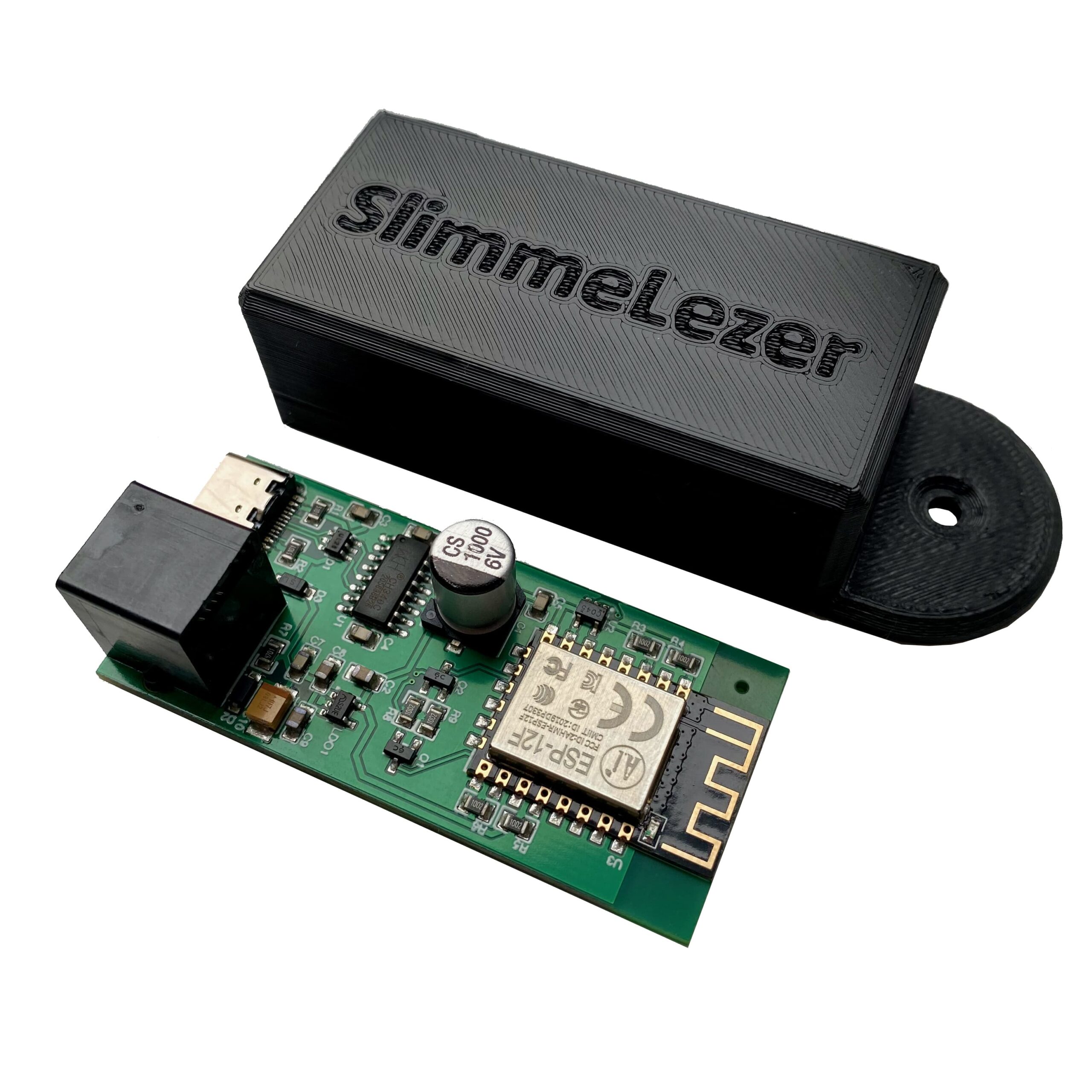
Notes (and a working config) on getting a SlimmeLezer+ talking to Home Assistant alongside a Marstek battery CT on the same P1 port and some context on my setup.
119 posts in Hardware
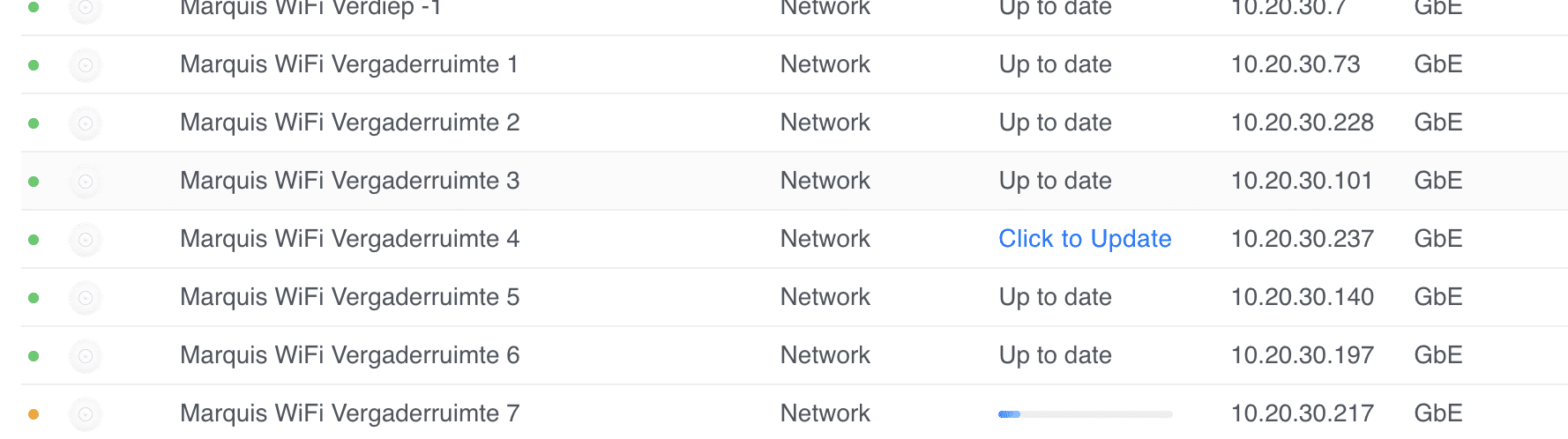
I have quite a few sites where some Unifi U6+ Access Points fail to upgrade with a generic update failed message.
Marquis WiFi Vergaderruimte 4 update failed.
I've tried everything, from ssh'ing, factory resetting with set-default, to manually upgrading with upgrade, etc.
Nothing worked. I thought I had a bunch of bad APs (and many had their warranty expire by a few weeks or months).
As a last resort, I decide to reach out to Ubiquiti's support. First line wasn't very helpful, but as the case was escalated, I've managed to recover and properly update the APs.
I recently got a WP6003 Air Box (Aliexpress). The official product page seems to be offline but can be accessed through Archive.org.
It's quite straightforward to integrate in a Bluetooth Proxy and Home Assistant thanks to Omar's work.
The major problem I have with it, is that the Bluetooth (4.0) range is terrible. Neither my Mac Mini nor my Bluetooth Proxy could connect with it if I moved it from the office to the kitchen (had it on top of the fridge, so some metal there) that's roughly 10ish meters away.
In my Home Assistant quest and simplifying (not sure if that's actually happening) and getting more control (aka less reliant on the cloud and 3rd parties) I've been playing with Zigbee.
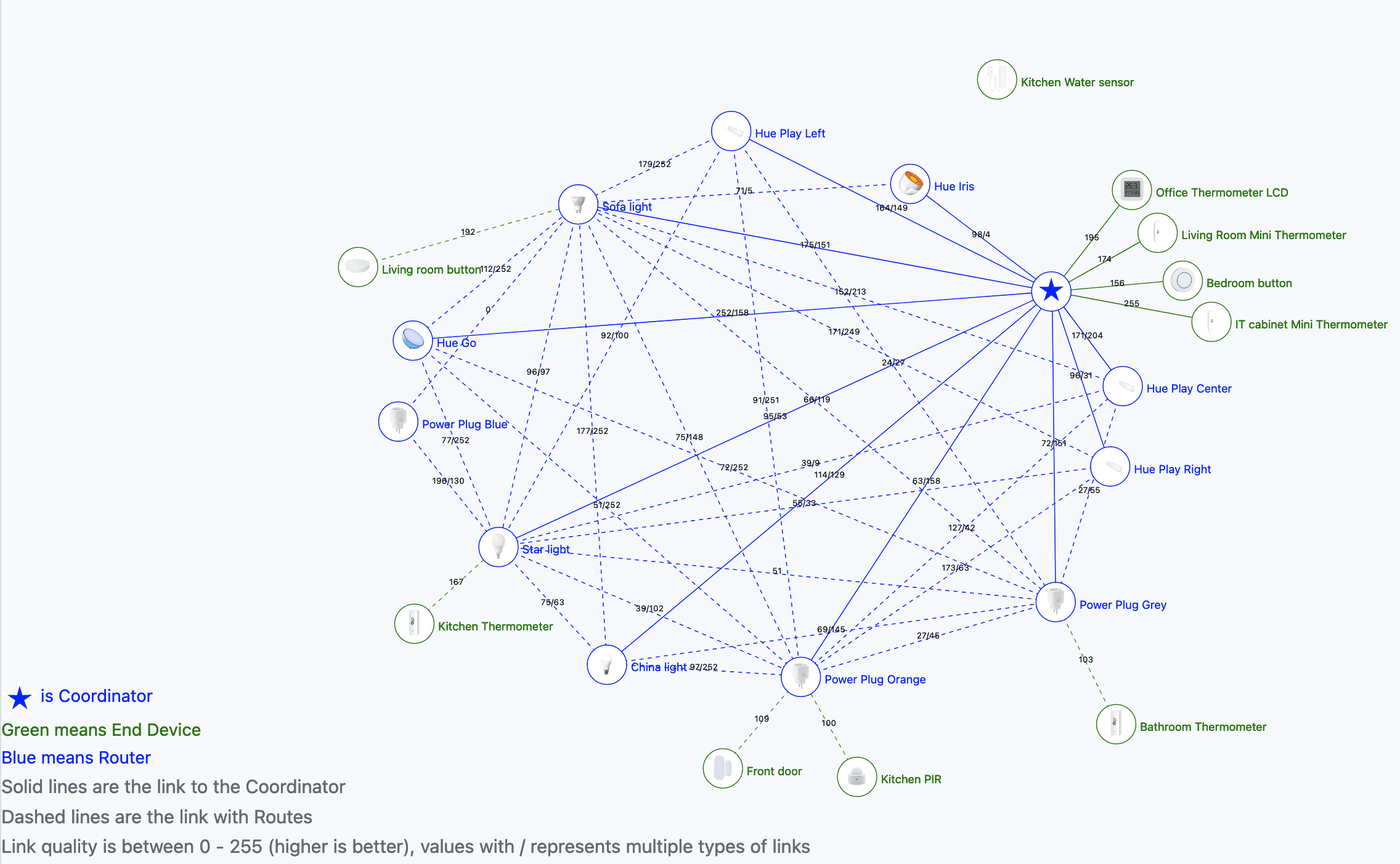
Zigbee is quite cool because it's a mesh network. As I used it before with my Philips Hue bulbs, I was eager to expand and play with Zigbee.
First thing first. Not all routers are equal. I've got these two smart power plugs as an example (Grey and Blue colour, v2 with HomeKit support) and they act weirdly. They don't seem to route sensors properly, and randomly turn off whatever is plugged in.
In my Home Assistant quest and simplifying (not sure if that's actually happening) and getting more control (aka less reliant on the cloud and 3rd parties) I've been playing with Zigbee.
Zigbee is quite cool because it's a mesh network. As I used it before with my Philips Hue bulbs, I was eager to expand and play with Zigbee.
I have several bulbs, including: Hue Iris, Hue Go, some random bulb, a reading spot, and Hue Play (3x).
I've finally started working with Home Assistant and while the learning curve has been steep, it's been fun.
I'm going to post some random notes (mostly for myself) on things I discovered, and I need to keep in mind.
For example, I have set up an ESP32-c3 Bluetooth Proxy for a Mi ble thermometer.
I've assigned the ESP device to an area: IT cabinet. However, the BLE sensors are scattered across the house (in different areas). Took me a while to figure it out, but you can assign entities to specific areas.
I have set up an ESP32-c3 Bluetooth Proxy for a Mi ble thermometer (and I have a few other BLE sensors that I haven't managed to set up yet).
The proxy config can be found here.
Be sure to modify the variables to match whatever you want to do. I'm using static IPs because auto discovery is unreliable (hostname.iot.internal).
You'll also need to add the !secret variables into the secrets.yaml file.
Raspberry Pi recently launched Bookworm, and with that, a new kernel package.
However, due to the massive changes from Bullseye to Bookworm, they are not suggesting a dist-upgrade.
In the past, we have suggested procedures for updating an existing image to the new version, but always with the caveat that we do not recommend it, and you do this at your own risk.
This time, because the changes to the underlying architecture are so significant, we are not suggesting any procedure for upgrading a Bullseye image to Bookworm; any attempt to do this will almost certainly end up with a non-booting desktop and data loss.
You can see how this script makes that couple very happy.
Quick and dirty script that shows your Mac battery information (health, cycles, etc). If an Apple keyboard or mouse is connected, it'll also display the battery % of those.
# Battery information
battery() {

	if !ioreg > /dev/null 2>&1; then
		echo "ioreg not found. Exiting."
		return 1
	fi

	_ioreg=`ioreg -l`
	_profile=`system_profiler SPPowerDataType`

	MOUSE=`echo $_ioreg -l | grep -A 10 "Mouse" | grep '"BatteryPercent" =' | sed 's/[^0-9]*//g'`
	TRACKPAD=`echo $_ioreg -l | grep -A 10 "Track" | grep '"BatteryPercent" =' | sed 's/[^0-9]*//g'`
	KEYBOARD=`echo $_ioreg -l | grep -A 10 "Keyboard" | grep '"BatteryPercent" =' | sed 's/[^0-9]*//g'`
	CYCLE=`echo $_profile | grep "Cycle Count" | awk '{print $3}'`

	if [ -n "$MOUSE" ]; then
		echo "Mouse: "$MOUSE"%"
	fi

	if [ -n "$TRACKPAD" ]; then
		echo "Trackpad: "$TRACKPAD"%"
	fi

	if [ -n "$KEYBOARD" ]; then
		echo "Keyboard: "$KEYBOARD"%"
	fi

	if [ -n "$CYCLE" ] && [ "$CYCLE" -ne 0 ]; then
		echo "Mac battery "`echo $_profile | grep "State of Charge" | awk '{print $5}'`"%"
		echo "Charging: "`echo $_profile | grep "Charging" | head -n 1 | awk '{print $2}'`
		echo "Cycles: "$CYCLE
		echo "Condition: "`echo $_profile | grep "Condition" | awk '{print $2}'`
		echo "Health: "`echo $_profile | grep "Maximum Capacity" | awk '{print $3}'`
	fi
}
Outputs something similar to this (no mouse or keyboard connected):