Networking

110 posts in Networking

Unifi u6+ failing to upgrade

· Errors, Hardware, Linux, Networking

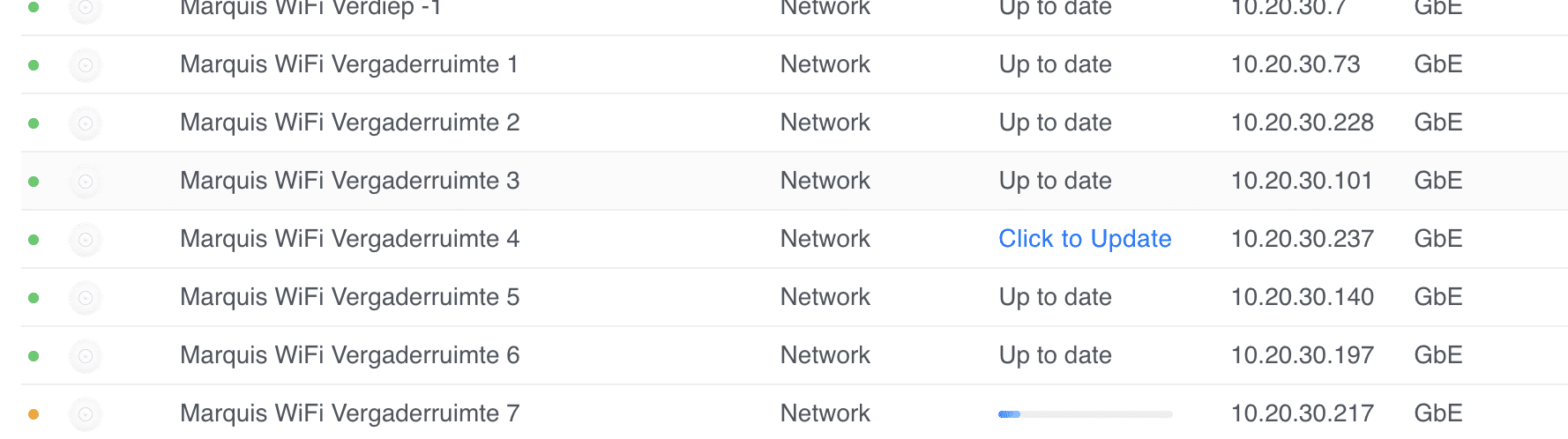
I have quite a few sites where some Unifi U6+ Access Points fail to upgrade with a generic update failed message.

Marquis WiFi Vergaderruimte 4 update failed.

I've tried everything, from ssh'ing, factory resetting with set-default, to manually upgrading with upgrade, etc.

Nothing worked. I thought I had a bunch of bad APs (and many had their warranty expire by a few weeks or months).

As a last resort, I decide to reach out to Ubiquiti's support. First line wasn't very helpful, but as the case was escalated, I've managed to recover and properly update the APs.

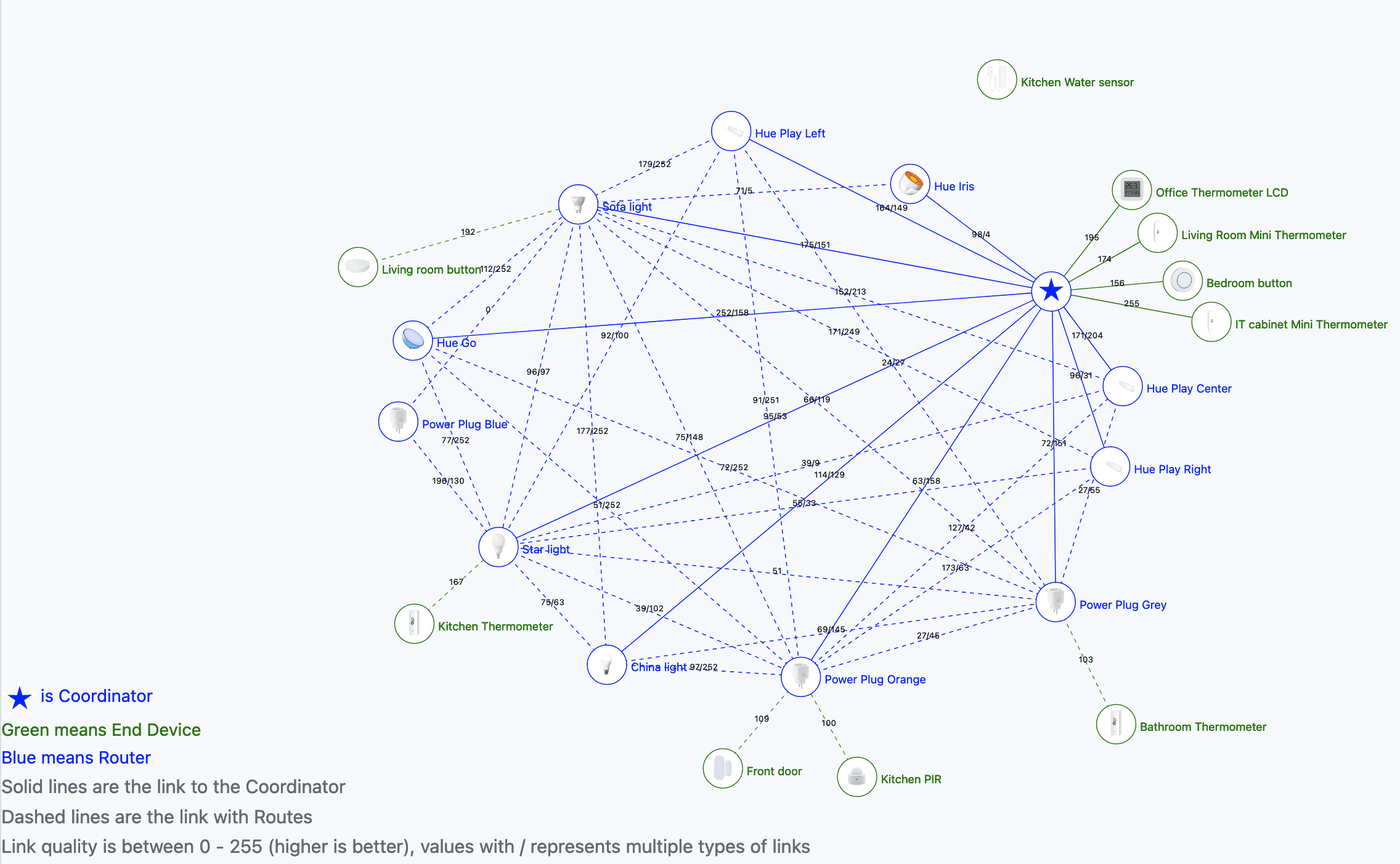
Home Assistant: Zigbee routers

· Hardware, Networking, Software

In my Home Assistant quest and simplifying (not sure if that's actually happening) and getting more control (aka less reliant on the cloud and 3rd parties) I've been playing with Zigbee.

Zigbee is quite cool because it's a mesh network. As I used it before with my Philips Hue bulbs, I was eager to expand and play with Zigbee.

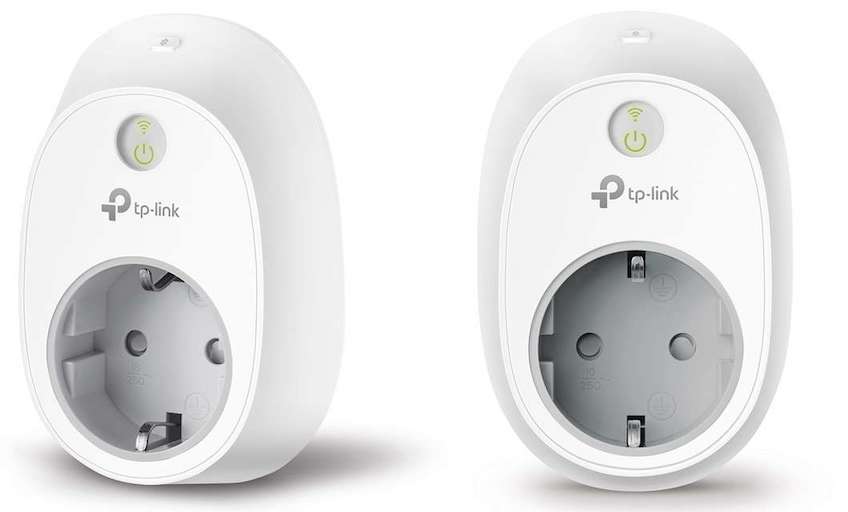
First thing first. Not all routers are equal. I've got these two smart power plugs as an example (Grey and Blue colour, v2 with HomeKit support) and they act weirdly. They don't seem to route sensors properly, and randomly turn off whatever is plugged in.

Home Assistant: Getting rid of Philips Hue bridge

· Hardware, Networking, Software

In my Home Assistant quest and simplifying (not sure if that's actually happening) and getting more control (aka less reliant on the cloud and 3rd parties) I've been playing with Zigbee.

Zigbee is quite cool because it's a mesh network. As I used it before with my Philips Hue bulbs, I was eager to expand and play with Zigbee.

I have several bulbs, including: Hue Iris, Hue Go, some random bulb, a reading spot, and Hue Play (3x).

IP Changed?

· Networking, Software

Very simple Python script that tracks one or multiple hosts/domains for IP changes, and prints it in a Matrix room.

# docker logs ipchanged
29-09-2023 - 11:26:35 - Logged in as @turtlebot:matrix.org
29-09-2023 - 11:26:35 - IP address for be.yeri.be is 94.105.123.126
29-09-2023 - 11:26:35 - IP address for sg.yeri.be is 58.96.238.208
29-09-2023 - 11:26:35 - IP address for industry.yeri.be is 78.23.172.72
29-09-2023 - 11:29:36 - IP address for be.yeri.be is 94.105.123.126
29-09-2023 - 11:29:36 - IP address for sg.yeri.be is 58.96.238.208
29-09-2023 - 11:29:36 - IP address for industry.yeri.be is 78.23.172.72

Includes a Docker container to keep it running.

PoC: Betteruptime + Python-kasa

· Hardware, Linux, Networking, Software

Content Update

The provided scripts have been updated on 16 Jul 2023. Specifically the SmartStrip part was not working as intended.


I've been a big fan of Betteruptime. I've started using it to monitor all my assets online (websites, DNS, ping, successful script runs) as well as my servers (using heartbeats).

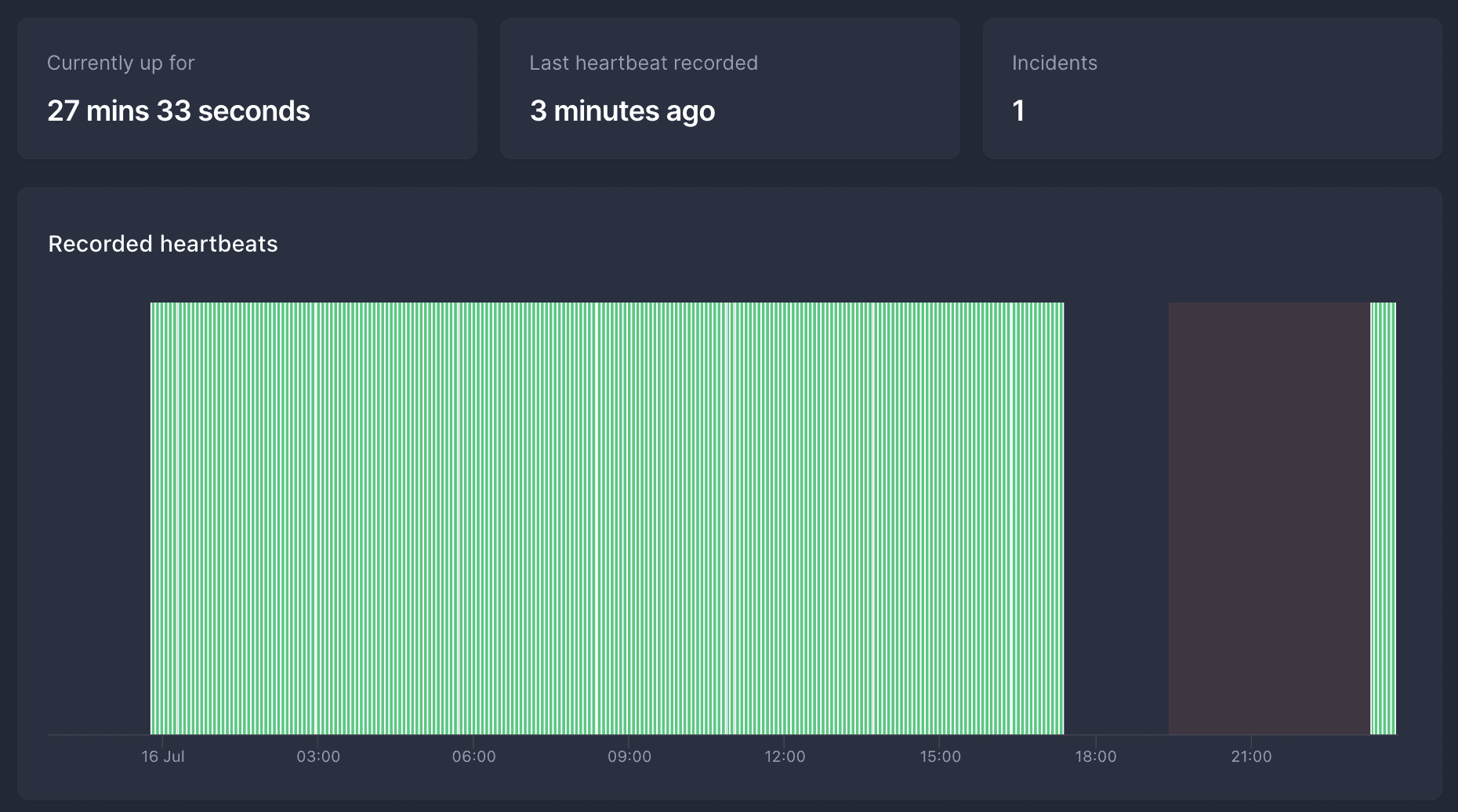
Screenshot of Betteruptime showing a heartbeat that failed for several hours.
Image of a heartbeat that failed for several hours. After 2 hours of no hearbeat, it turned into an incident, and several hours later the heartbeats resumed.

I have a few Raspberry Pi's, and once in a while they hang (not sure why, maybe USB-to-SSD issues or something). Nothing too critical, but annoying.

killwarp

· Apple, Networking, Software

Is your company forcing Cloudflare Warp on you, and are you running on a Mac (with sudo access)?

It probably sucks, spies on you, does MitM attacks, breaks most video conferencing tools, and is generally not very stable... Also... Zero trust!

Add this function to your .bashrc or .zshrc (whichever shell you're using*):

func killwarp() {
	sudo launchctl remove com.cloudflare.1dot1dot1dot1.macos.warp.daemon
	sudo killall Cloudflare\ WARP
}

Open a new shell window (to reload your dot files), and type killwarp.

Bookworm: eth0 -> enX0

· Linux, Networking, Software

Started updating my Debian systems from Bullseye to Bookworm.

The first thing I noticed was that ethX renamed to enXY.

To get back to the old naming scheme, you can fix this by adding the following in /etc/network/interfaces:

rename enX0=eth0
rename enX1=eth1

And reboot.

Allow ping from USG

· Linux, Networking, Software

Because I keep forgetting and it takes me far too much time to go through one of my million sites where I set this up and find the right config...

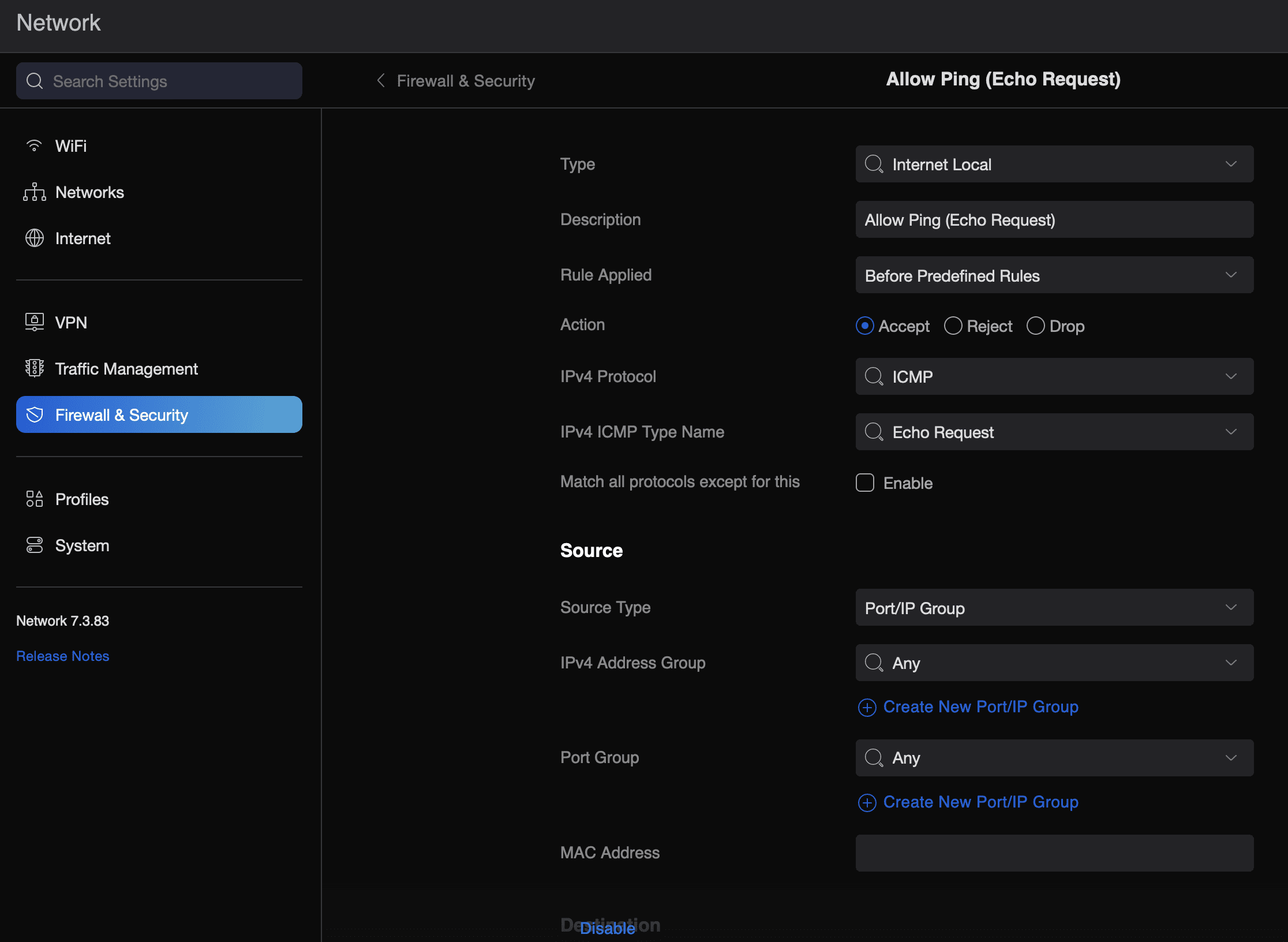
To allow a USG (Unifi Security Gateway) to reply to external (WAN) ping requests, do the following:

  • Head to the Unifi dashboard -> Settings -> Firewall & Security
  • Create a new rule
  • Type: Internet Local
  • Description: Allow Ping (Echo Request)
  • Rule Applied: Before Predefined Rules
  • Action: Accept
  • IPv4 Protocol: ICMP
  • IPv4 IMP Type Name: Echo Request
  • Apply Changes -> wait ~2 minutes

That's it...