Damn You Google !
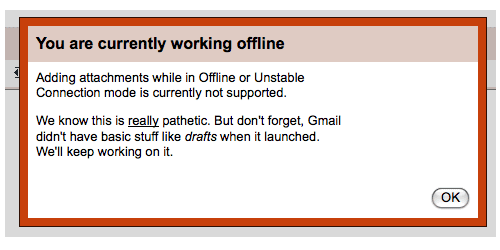
I need it now! :(
87 posts in Errors
I need it now! :(
Angry IP scanner was quitting each time I started the application, and looking at Console I saw these errors:
06/11/08 11:34:15 [0x0-0x1f01f].net.azib.ipscan[190] [JavaAppLauncher Error] CFBundleCopyResourceURL() failed loading MRJApp.properties file
06/11/08 11:34:15 [0x0-0x1f01f].net.azib.ipscan[190] [JavaAppLauncher Error] CFBundleCopyResourceURL() failed while getting Resource/Java directory
06/11/08 11:34:15 [0x0-0x1f01f].net.azib.ipscan[190] [LaunchRunner Error] No main class specified
06/11/08 11:34:15 [0x0-0x1f01f].net.azib.ipscan[190] [JavaAppLauncher Error] CallStaticVoidMethod() threw an exception
06/11/08 11:34:15 [0x0-0x1f01f].net.azib.ipscan[190] Exception in thread "main" java.lang.NullPointerException
06/11/08 11:34:15 [0x0-0x1f01f].net.azib.ipscan[190]  at apple.launcher.LaunchRunner.run(LaunchRunner.java:112)
06/11/08 11:34:15 [0x0-0x1f01f].net.azib.ipscan[190]  at apple.launcher.LaunchRunner.callMain(LaunchRunner.java:50)
06/11/08 11:34:15 [0x0-0x1f01f].net.azib.ipscan[190]  at apple.launcher.JavaApplicationLauncher.main(JavaApplicationLauncher.java:61)
06/11/08 11:34:15 com.apple.launchd[97] ([0x0-0x1f01f].net.azib.ipscan[190]) Exited with exit code: 1
After some googling I came upon this website.
Some antivirus software vendors (McAfee, Symantec, and some others) have started recently identifying Angry IP Scanner as ‘potentially unwanted program’ or risky ‘hacktool’. Now, their programs often delete Angry IP Scanner from the disk during virus scanning.
The reason behind this is the will to bloat ‘virus databases’ and show unreal high number of detected ‘viruses’ in order to impress their customers. So they include everything they can find on the Internet, including many security tools, such as Angry IP Scanner.
I’ve “updated” my previous php-app.
Since today I ended up getting this error:
Warning: imap_open(): Couldn't open stream {imap.gmail.com:993/imap/ssl}[Google Mail]/Spam in /home/yeri/.gmail.php on line 30
Certificate failure for imap.gmail.com: unable to get local issuer certificate: /C=US/ST=California/L=Mountain View/O=Google Inc/CN=imap.gmail.com - Connection failed.
Simply searching this line:
$open = imap_open ("{imap.gmail.com:993/imap/ssl/}$path"
And editing it to:
$open = imap_open ("{imap.gmail.com:993/imap/ssl/novalidate-cert}$path"
Solves the problem.
This will ignore the Google certificate. Please do double check that imap.google.com really points to Google, and it’s not some kind of DNS issue.
I’m looking for people to test out the iRail website in the four different languages, to check for any spelling mistakes. Should you find any, please report them to bugs[@]irail[.]be.
Thanks
I’ve made some more changes to iRail;
I just fixed a bug where he wouldn’t query the NMBS website if you hadn’t picked your language yet. Default language has been set to English.
Thanks to Helene.
I hate having unread mail. I hate having spam. And most of all, I hate spam that asks for attention.
When receiving spam in Gmail, you get the annoying bold Spam (12353434) with ‘12353434’ being the number of unread spam messages.
With the introduction of Gmail Labs I’d hope to see an “automaticly mark spam message as seen” feature, which, well, I haven’t found yet.
Being tired of all these increasing spam numbers, and my daily efforts to “select all unread + mark as read”, I ended up writing a small PHP file which connects to the Gmail (using IMAP, so I asume you’ll need IMAP enabled in your settings..) and marks all spam messages as read. Running this script locally with a curl or cron every X time will solve most of your problems, I hope.
Took me a while to figure out what went wrong.
With the new Firefox (v3) and the wordpress update, I was no longer able to see my Wordpress stats on my dashboard.
Every (Wordpress) login attempt, to see the stats, resulted in… Well nothing. I just kept getting back to the login page. No error.
Actually, I have “third-party cookies disabled” on all my browsers; I don’t like to have cookies from sites I do not visit. And this was the cause of the problem.
Today I had to reinstall Bootcamp, and thus create a new Windows partition.
Trying the Bootcamp setup wizard, I got the same error as I had before - “Your disk cannot be partitioned because some files cannot be moved”.
I tried to Zero-Out-Data, overwriting all deleted data on the disk with 0’s. Yet this did not seem to solve the problem.
After deleting some big files, like my heroes & 24 episodes, I tried again. Still nothing.