#Macbook

6 posts tagged Macbook

Script to display Mac battery information

· apple, hardware, software

You can see how this script makes that couple very happy.

Quick and dirty script that shows your Mac battery information (health, cycles, etc). If an Apple keyboard or mouse is connected, it'll also display the battery % of those.

# Battery information
battery() {

	if !ioreg > /dev/null 2>&1; then
		echo "ioreg not found. Exiting."
		return 1
	fi

	_ioreg=`ioreg -l`
	_profile=`system_profiler SPPowerDataType`

	MOUSE=`echo $_ioreg -l | grep -A 10 "Mouse" | grep '"BatteryPercent" =' | sed 's/[^0-9]*//g'`
	TRACKPAD=`echo $_ioreg -l | grep -A 10 "Track" | grep '"BatteryPercent" =' | sed 's/[^0-9]*//g'`
	KEYBOARD=`echo $_ioreg -l | grep -A 10 "Keyboard" | grep '"BatteryPercent" =' | sed 's/[^0-9]*//g'`
	CYCLE=`echo $_profile | grep "Cycle Count" | awk '{print $3}'`

	if [ -n "$MOUSE" ]; then
		echo "Mouse: "$MOUSE"%"
	fi

	if [ -n "$TRACKPAD" ]; then
		echo "Trackpad: "$TRACKPAD"%"
	fi

	if [ -n "$KEYBOARD" ]; then
		echo "Keyboard: "$KEYBOARD"%"
	fi

	if [ -n "$CYCLE" ] && [ "$CYCLE" -ne 0 ]; then
		echo "Mac battery "`echo $_profile | grep "State of Charge" | awk '{print $5}'`"%"
		echo "Charging: "`echo $_profile | grep "Charging" | head -n 1 | awk '{print $2}'`
		echo "Cycles: "$CYCLE
		echo "Condition: "`echo $_profile | grep "Condition" | awk '{print $2}'`
		echo "Health: "`echo $_profile | grep "Maximum Capacity" | awk '{print $3}'`
	fi
}

Outputs something similar to this (no mouse or keyboard connected):
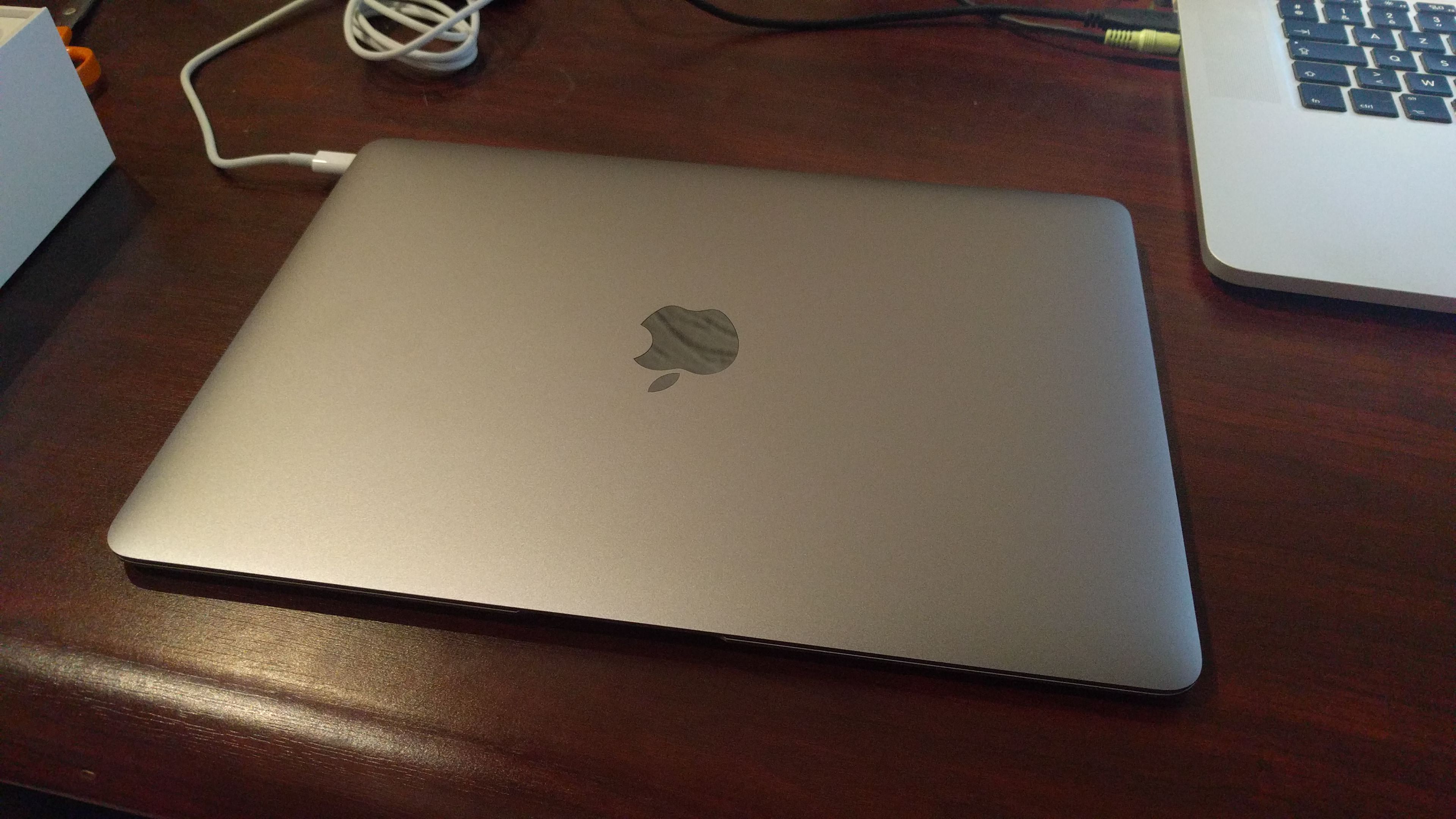
Macbook Air M1 issues

· misc

I recently got my mom a Macbook Air M1, upgrading from a 2010 Macbook Pro (High Sierra).

When migrating over from High Sierra to Big Sur, using Migration Assistant (my Synology TimeMachine kept on failing -- but besides that, migration went smoothly) two issues came up that required calling Apple.

But first off I noticed that when migrating, for some reason FileVault was turned off (more on that later). I, obviously, turned it on.

Yard Sale: Macbook Pro late 2013

· apple, hardware

For sale due to getting a portable Macbook:

  • Late 2013 Macbook Pro (15.4" Retina)
  • 2.3Ghz i7 (quad core + Hyper-Threading)
  • 16Gb RAM
  • 512Gb SSD
  • Intel Iris onboard GFX + Nvidia GeForce GT 750M PCE GFX
  • BE-Azerty keyboard
  • €2445,41 in 28 October 2013
  • SUPER fast
  • Minor scratch in the back of the LCD
  • Minor (not very noticeable) corrosion at the right hand
  • Weird scratch "smear" in LCD display (only visible on white background; about 2x2cm; to be honest it's not really visible)
  • Besides this very decent Macbook Pro, it has been used, but in very good shape for the extreme work it has committed. Taken care of this device as if it was my own child. And did I mention blazing fast?
Contact: yeri+mbp@tiete.be

Specs:

Macbook Air vs Macbook Pro vs older Macbook Pro(s)

· apple

So, I had to migrate from a Pro to an Air a few weeks ago. My Macbook got repaired (out of warranty, for 600ish damn euro) and I sold it. I waited for the new line of Macbooks and ordered myself a new one. I picked the Retina version.

Just as with my previous Macbook Pro, I went for overkill in the hope to keep it as long as possible.

Except for a faulty GPU, my previous Mac was actually still very capable, and I would not have thought about getting rid of it any time soon. It was still smooth and blazing fast. I had quite some bad experience with my first Macbook Pro (see below, SATA and 2Gb RAM); that device was already crippled after a few weeks of usage. Annoyingly slow and laggish.

My new Macbook Pro arrived

· apple

… Restoring from TimeMachine… 1 hour and 16 minutes remaining…

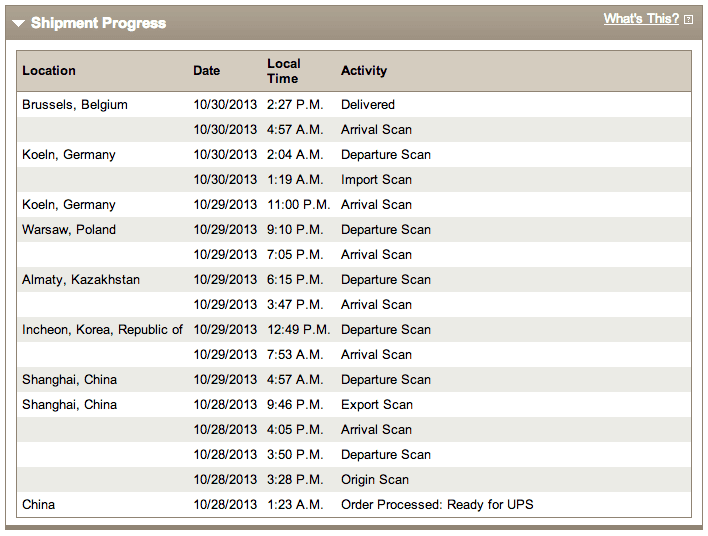
It took a weird route (Shanghai to Korea to Kazakhstan?!) but I finally got it. Yayyies.

ups

Later a blog post about what it's like to migrate from a Macbook Air to a Macbook Pro again.

Macbook Air vs Macbook Pro

· apple, hardware

While my 2010 Macbook Pro is at the Apple Repair shop for a (most likely) faulty GPU I borrowed a Macbook Air from Christophe. These are my random thoughts about it:

  • It's light. Very light. My bag is now too big and I can barely feel it hanging at my shoulder.
  • It's light. Very light. I used to, when moving around (for example when testing WiFi, changing desks, going to a meeting, etc), jungle my Macbook Pro on one hand, with the display open and everything, and it would stay on my three or four fingers very nicely. With the Air, I can't just move around like this as even the wind/air might knock it off my hand. Paper aeroplane comes into my mind.
  • The CPU is somewhere near the letters 1-2-3-A-Z-E-Q-S (Azerty keyboard). I tend to let my fingers rest between the keys on the bare metal. This can get quite hot. I have never noticed this with the MBP.
  • The keyboard of the Air is better. Smoother. More fun to hit. Nicer muffled sound. Hard to explain. Perhaps also because this keyboard hasn't been used as often.
  • It stills seems ... breakable. Not as robust.
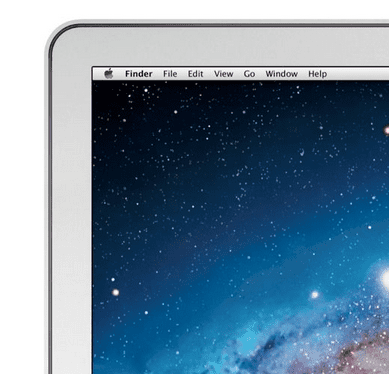
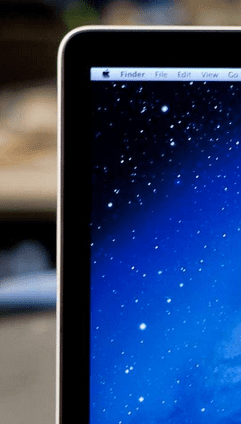
  • I don't like the bezel. WHY APPLE WHY? It's metal instead of the nicer black glass that covers everything.

bezel-air  bezel-mbp