Posts
Sausage time
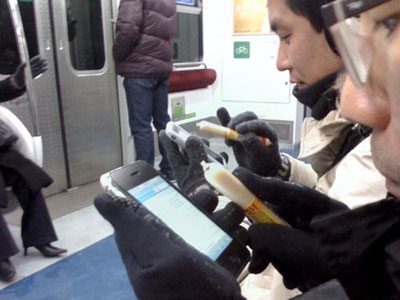
Sales of a certain snack sausage are reportedly up 40% in South Korea thanks to the iPhone.In the cold of winter, South Koreans are using the sausages as styluses instead of taking off their gloves.
(Source)
Beijing Flickr set
Set link. Updated (almost) daily. Until the 19th November.
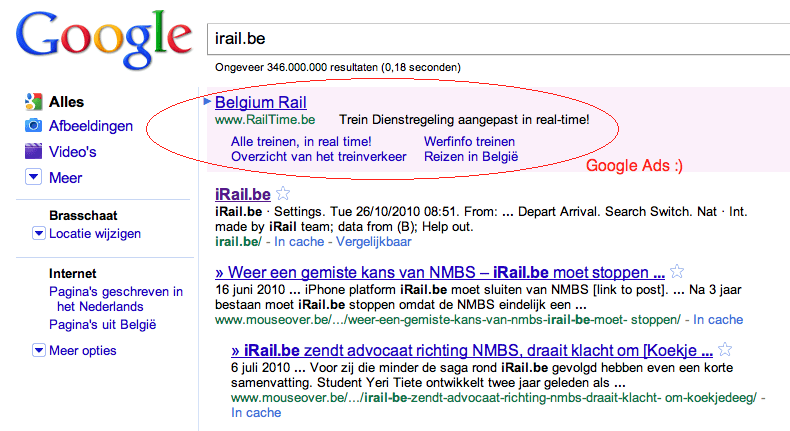
Me be leavin' for Beijing!
Today, I'm leaving for Beijing, China for a whole month as part of my internship at KdG. Wish me luck. ;)
Tons of pics will be posted on Flickr.
I'm not entirely sure what sites and services will be blocked (yay for the Great Chinese Firewall), but my VPN tunnel should do the trick. Hopefully. And I'm still reachable through e-mail.
Bubye x!

IE9 is the IE6 of CSS3
I giggled. And then cried a little bit.
Xen: iptables issue
vm3:/# iptables -t nat -A PREROUTING -p tcp -m tcp --dport 80 -j DNAT --to-destination 85.12.6.173:8180
WARNING: Could not open 'kernel/net/netfilter/x_tables.ko': No such file or directory
FATAL: Could not open 'kernel/net/ipv4/netfilter/ip_tables.ko': No such file or directory
iptables v1.4.2: can't initialize iptables table `filter': iptables who? (do you need to insmod?)
Perhaps iptables or your kernel needs to be upgraded.
Solution:
vm3:/# depmod
vm3:/# iptables -t nat -A PREROUTING -p tcp -m tcp --dport 80 -j DNAT --to-destination 85.12.6.173:8180
All ok :)
Tomcat: javax.servlet.ServletException issues
javax.servlet.ServletException
org.apache.catalina.security.SecurityUtil.execute
(SecurityUtil.java:294)
Solution:
Create 20servlets.policy:
nano -w /etc/tomcat5.5/policy.d/20servlets.policy
And add:
grant codeBase "file:${catalina.base}/webapps/-" {
permission java.security.AllPermission;
};
And restart Tomcat
/etc/init.d/tomcat5.5 restart
Xen: PTY allocation request failed
$ ssh vm3.rootspirit.com -l root
root@vm3.rootspirit.com's password:
PTY allocation request failed on channel 0
stdin: is not a tty
mkdir /tmp/disk
mount /path/to/disk.img /tmp/disk
chroot /tmp/disk /bin/bash
=> in chroot env
nano -w /etc/fstabAnd add (though this is probably not needed):
none /dev/pts devpts defaults 0 0And install udev:
apt-get install udevClean up, and restart DomU
exit
umount /tmp/disk
xm create /path/to/xen/vm.cfg
Should do the trick. :)
Xen: Failed to find an unused loop device
I had to start a new Xen domU this afternoon,
xm create vm#.domain
But this resulted in following error:
Error: Device 5632 (vbd) could not be connected.
Failed to find an unused loop device
Solution:
Create /etc/modprobe.d/local-loop.conf with this content:
options loop max_loop=64
Turn off all DomUs, yes, bummer. You’ll need to reload the loop module which won’t work if Xen is still using them. xm list should only display Domain-0.