#Raspberrypi

19 posts tagged Raspberrypi

RPi kernels in Bookworm

· hardware, linux, software

Raspberry Pi recently launched Bookworm, and with that, a new kernel package.

However, due to the massive changes from Bullseye to Bookworm, they are not suggesting a dist-upgrade.

In the past, we have suggested procedures for updating an existing image to the new version, but always with the caveat that we do not recommend it, and you do this at your own risk.

This time, because the changes to the underlying architecture are so significant, we are not suggesting any procedure for upgrading a Bullseye image to Bookworm; any attempt to do this will almost certainly end up with a non-booting desktop and data loss.


NextDNS and NetworkManager

· errors, linux, software

A while back, I wrote about installing NetworkManager if NextDNS activate fails to work.

Only... I realised that for some reason on Raspberry Pi (4), WiFi stopped working with the following errors:

Feb 17 11:55:02 tyr NetworkManager[449]: <info>  [1676631302.2204] device (wlan0): state change: config -> failed (reason 'ssid-not-found', sys-iface-state: 'managed')
Feb 17 11:55:02 tyr NetworkManager[449]: <info>  [1676631302.7525] device (wlan0): set-hw-addr: set MAC address to 92:F3:ED:C2:8F:9B (scanning)
Feb 17 11:55:02 tyr NetworkManager[449]: <warn>  [1676631302.7559] device (wlan0): Activation: failed for connection 'superuser.one'
Feb 17 11:55:02 tyr NetworkManager[449]: <info>  [1676631302.7562] device (wlan0): supplicant interface state: scanning -> disconnected
Feb 17 11:55:02 tyr NetworkManager[449]: <info>  [1676631302.7562] device (p2p-dev-wlan0): supplicant management interface state: scanning -> disconnected
Feb 17 11:55:02 tyr NetworkManager[449]: <info>  [1676631302.7577] device (wlan0): supplicant interface state: disconnected -> interface_disabled
Feb 17 11:55:02 tyr NetworkManager[449]: <info>  [1676631302.7578] device (p2p-dev-wlan0): supplicant management interface state: disconnected -> interface_disabled
Feb 17 11:55:02 tyr NetworkManager[449]: <info>  [1676631302.7579] device (wlan0): supplicant interface state: interface_disabled -> disconnected
Feb 17 11:55:02 tyr NetworkManager[449]: <info>  [1676631302.7579] device (p2p-dev-wlan0): supplicant management interface state: interface_disabled -> disconnected
Feb 17 11:55:02 tyr NetworkManager[449]: <info>  [1676631302.7585] device (wlan0): state change: failed -> disconnected (reason 'none', sys-iface-state: 'managed')

The WiFi SSID and password (wpa_supplicant) never changed, so I wasn't sure what it was. However, as most Pi's are wired I didn't pay much attention, until today.

Mounting a whole disk with partitions

· errors, linux, software

I reinstalled one of my RPis (moving from 32 to 64 bit).

Before doing the full reinstall, I took a dump (dd) of my disk.

Usually, I create one per partition, but this was the Christmas season, and I was half occupied with feasting and half occupied with entertaining Ila. So, mistakes were made.

I ran dd if=/dev/sdb of=backup.img -- but this means I can't mount the disk directly, as it's not a partition:

NetworkManager exit status 1

· errors, linux, software

Recently reinstalled NextDNS on a RPi4 64bit and came across this error:

# nextdns activate
Error: NetworkManager resolver management: exit status 1

It seems like NextDNS was actually running, but just throwing an error when running nextdns activate. Restarting did seem to work without throwing any error.

The logs showed the same error:

Dec 20 14:06:20 tyr nextdns[5753]: Starting NextDNS 1.38.0/linux on :53
Dec 20 14:06:20 tyr nextdns[5753]: Listening on TCP/:53
Dec 20 14:06:20 tyr nextdns[5753]: Starting mDNS discovery
Dec 20 14:06:20 tyr nextdns[5753]: Listening on UDP/:53
Dec 20 14:06:21 tyr nextdns[5753]: Connected 45.90.28.0:443 (con=13ms tls=58ms, TCP, TLS13)
Dec 20 14:06:21 tyr nextdns[5753]: Connected 185.18.148.91:443 (con=12ms tls=28ms, TCP, TLS13)
Dec 20 14:06:21 tyr nextdns[5753]: Switching endpoint: https://dns.nextdns.io#185.18.148.91,2a04:b80:1:30::2
Dec 20 14:06:25 tyr nextdns[5753]: Setting up router
Dec 20 14:06:25 tyr nextdns[5753]: Activating
Dec 20 14:06:25 tyr nextdns[5753]: Activate: NetworkManager resolver management: exit status 1

The solution was (as root):

Making Bluetooth work on RPi4

· hardware, linux, software

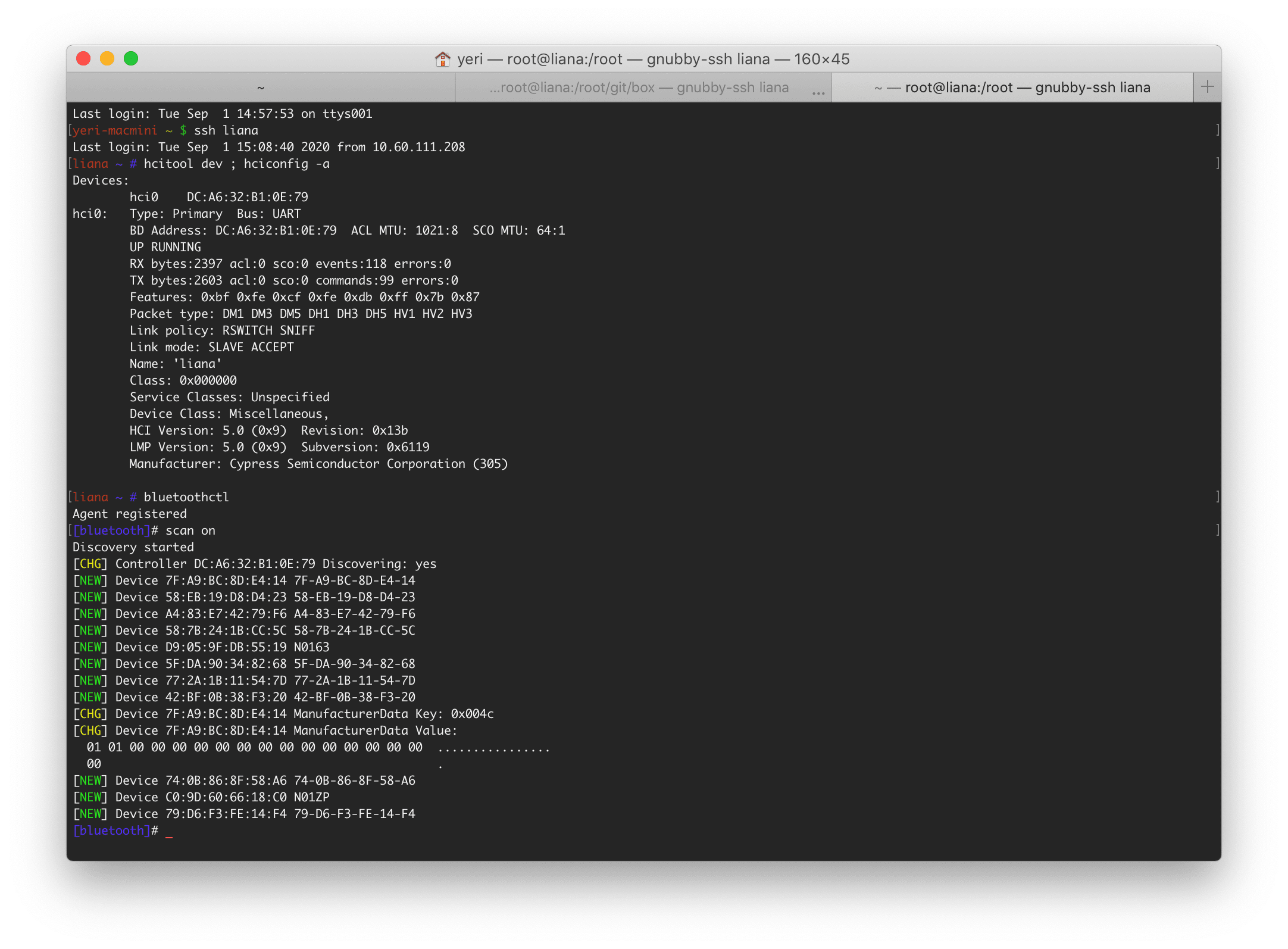
I rarely use Bluetooth on my RPis. I'm already facing enough issues with my iMac and Mac Mini (it lags, it randomly disconnects in meetings, etc).

My pwnagotchi on the other hand is counting on a BLE network to connect to the internet: for now I am using my iPad, and while that works, it causes my iPad to disconnect from WiFi (because of course, it can only do tethering from a mobile network, not from its WiFi network).

Raspberry Pi 4 + SSD

· hardware, linux, software

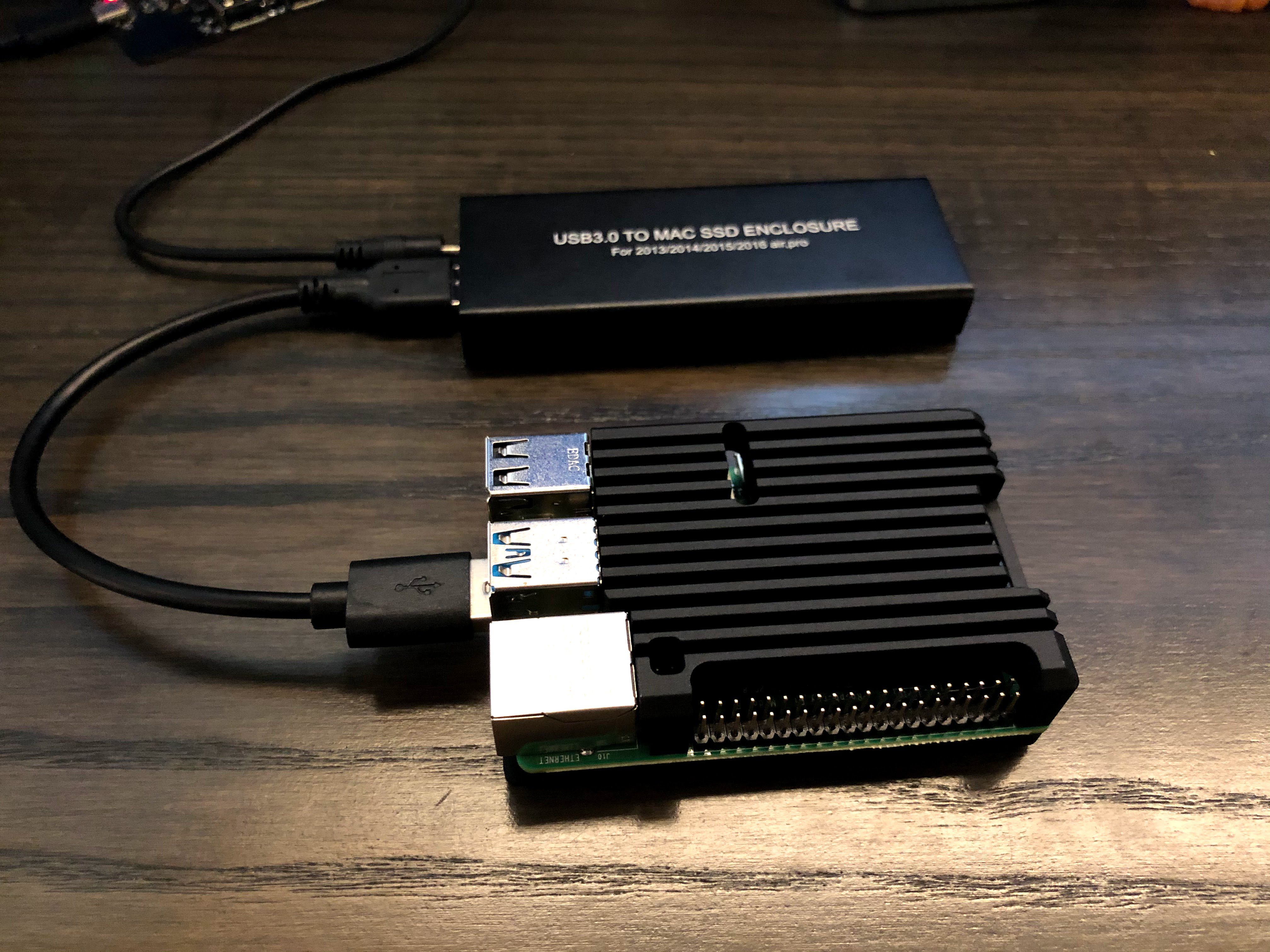
All right. With the release of the new RPi4 with 8Gb of RAM I had to get myself one to see if it was already a viable desktop replacement for surfing and emails.

While a SD card works fine for certain tasks (things that don't require a lot of IO) -- for a desktop that's a no-go... It's just too slow.

I still had an old Macbook Pro 13" (2o15?) SSD lying around that was collecting dust. Why not use that one to use as root for the RPi?

WireGuard

· linux, networking, software

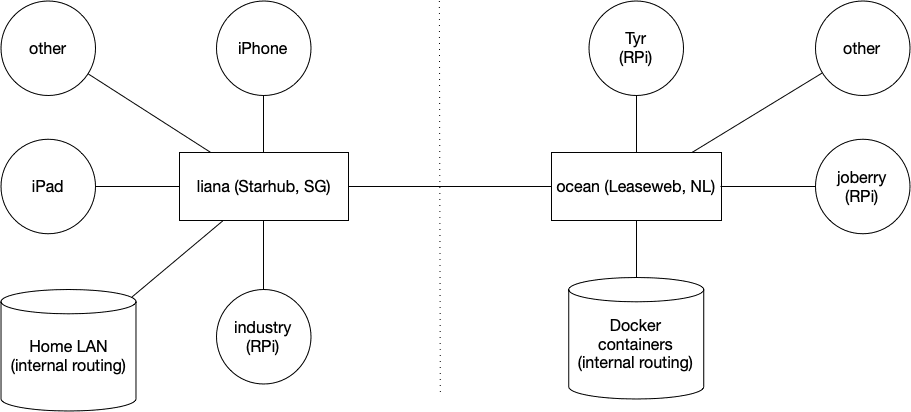
This is the first post of several. Next posts will focus on running WireGuard inside a Docker container on amd64 Linux and a Raspberry Pi.

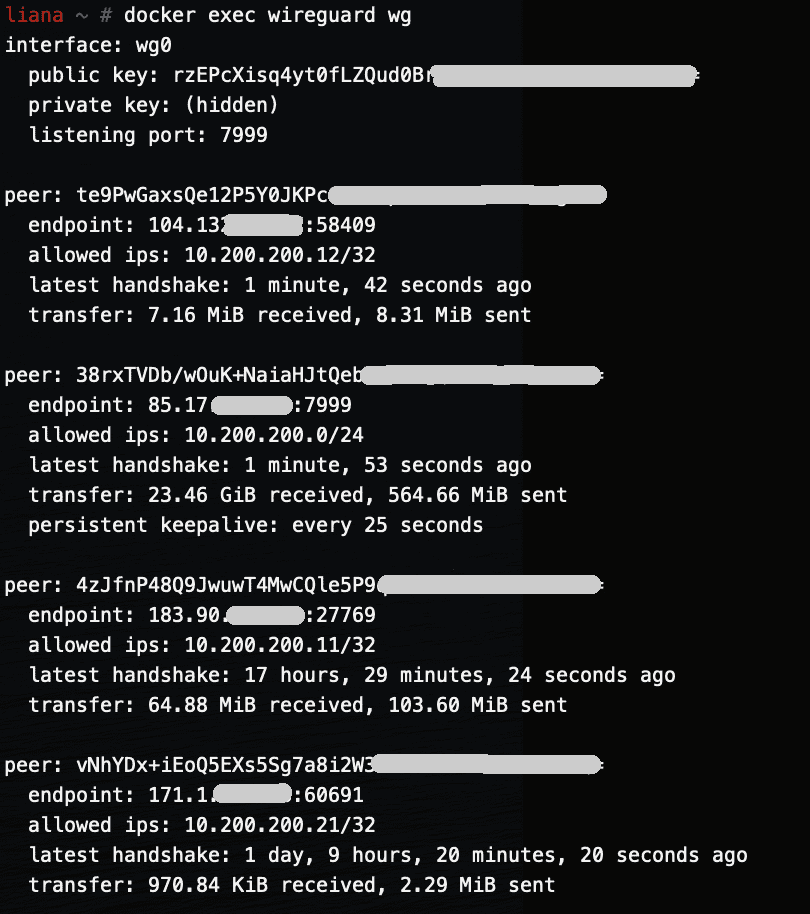
I've been running WireGuard for a few months now and I've been loving it.

I first started using it about a year ago when in China — OpenVPN was once again being actively blocked and it was driving me nuts. Overnight I set up a DigitalOcean server in Singapore and ran WireGuard from it — both my phone and laptop were able to actively bypass the GFW and (at that time) surf the internet freely once more. As WireGuard gains popularity, I am sure the GFW will start detecting it — it's a quiet but not a stealthy protocol.

Box — Docker shell server

· apple, linux, networking, software, virtualisation

A couple of months ago I had the great idea to set up a shell server in Docker. Simply because my docker skillz were quite rusty and a shell server was something I actually genuinely needed.

Shell servers... so 2005. I remember in the good old IRC days people asking for (free) shell servers to run their eggdrop and stuff. OMG am I getting old? Anyhow...