#Mac Os X

20 posts tagged Mac Os X

Check websites with LanguageTool for typos

· software, www

This is quick and dirty (and with the help of ChatGPT).

FlatTurtle has a new site, and there's been some fine-tuning here and there that led to a few typos creeping in. I wanted a quick tool to plug in a page, and that would highlight possible mistakes.

I've been a personal (paying) user of LanguageTool for a few years now (European, and less spammy and dodgy than Grammarly)

Script to display Mac battery information

· apple, hardware, software

You can see how this script makes that couple very happy.

Quick and dirty script that shows your Mac battery information (health, cycles, etc). If an Apple keyboard or mouse is connected, it'll also display the battery % of those.

# Battery information
battery() {

	if !ioreg > /dev/null 2>&1; then
		echo "ioreg not found. Exiting."
		return 1
	fi

	_ioreg=`ioreg -l`
	_profile=`system_profiler SPPowerDataType`

	MOUSE=`echo $_ioreg -l | grep -A 10 "Mouse" | grep '"BatteryPercent" =' | sed 's/[^0-9]*//g'`
	TRACKPAD=`echo $_ioreg -l | grep -A 10 "Track" | grep '"BatteryPercent" =' | sed 's/[^0-9]*//g'`
	KEYBOARD=`echo $_ioreg -l | grep -A 10 "Keyboard" | grep '"BatteryPercent" =' | sed 's/[^0-9]*//g'`
	CYCLE=`echo $_profile | grep "Cycle Count" | awk '{print $3}'`

	if [ -n "$MOUSE" ]; then
		echo "Mouse: "$MOUSE"%"
	fi

	if [ -n "$TRACKPAD" ]; then
		echo "Trackpad: "$TRACKPAD"%"
	fi

	if [ -n "$KEYBOARD" ]; then
		echo "Keyboard: "$KEYBOARD"%"
	fi

	if [ -n "$CYCLE" ] && [ "$CYCLE" -ne 0 ]; then
		echo "Mac battery "`echo $_profile | grep "State of Charge" | awk '{print $5}'`"%"
		echo "Charging: "`echo $_profile | grep "Charging" | head -n 1 | awk '{print $2}'`
		echo "Cycles: "$CYCLE
		echo "Condition: "`echo $_profile | grep "Condition" | awk '{print $2}'`
		echo "Health: "`echo $_profile | grep "Maximum Capacity" | awk '{print $3}'`
	fi
}

Outputs something similar to this (no mouse or keyboard connected):
Macbook Air M1 issues

· misc

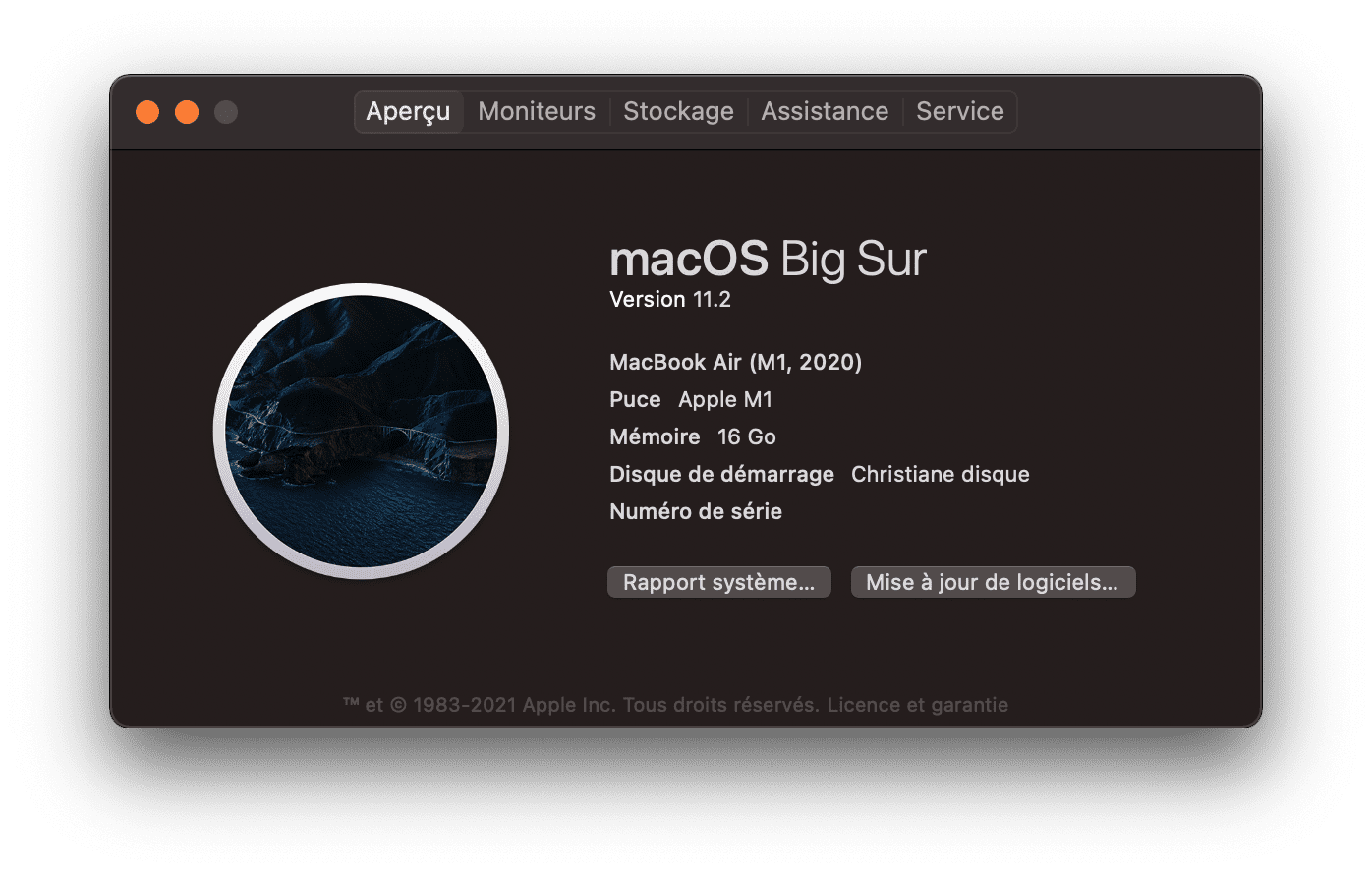
I recently got my mom a Macbook Air M1, upgrading from a 2010 Macbook Pro (High Sierra).

When migrating over from High Sierra to Big Sur, using Migration Assistant (my Synology TimeMachine kept on failing -- but besides that, migration went smoothly) two issues came up that required calling Apple.

But first off I noticed that when migrating, for some reason FileVault was turned off (more on that later). I, obviously, turned it on.

Yard Sale: Macbook Pro late 2013

· apple, hardware

For sale due to getting a portable Macbook:

  • Late 2013 Macbook Pro (15.4" Retina)
  • 2.3Ghz i7 (quad core + Hyper-Threading)
  • 16Gb RAM
  • 512Gb SSD
  • Intel Iris onboard GFX + Nvidia GeForce GT 750M PCE GFX
  • BE-Azerty keyboard
  • €2445,41 in 28 October 2013
  • SUPER fast
  • Minor scratch in the back of the LCD
  • Minor (not very noticeable) corrosion at the right hand
  • Weird scratch "smear" in LCD display (only visible on white background; about 2x2cm; to be honest it's not really visible)
  • Besides this very decent Macbook Pro, it has been used, but in very good shape for the extreme work it has committed. Taken care of this device as if it was my own child. And did I mention blazing fast?
Contact: yeri+mbp@tiete.be

Specs:

Courier IMAP and auto deleting trash after 7 days

· apple, errors, linux, networking, software

E-mails that had been deleted for over 7 days were automatically removed from the IMAP server. E-mail date was ignored (ie the mail could have been from 2010; the actual time in “Trash” counted). This didn’t happen to other folders (Sent, Archive, Spam). This recently happened and hadn’t happened before.

I had to restore my trash folder from backups every 7 days (yay for rdiff-backup).

It took me a while to figure it out… The problem first appeared in October, right after several big changes:

Yard Sale: Mac Mini (G4)

· apple, hardware, linux

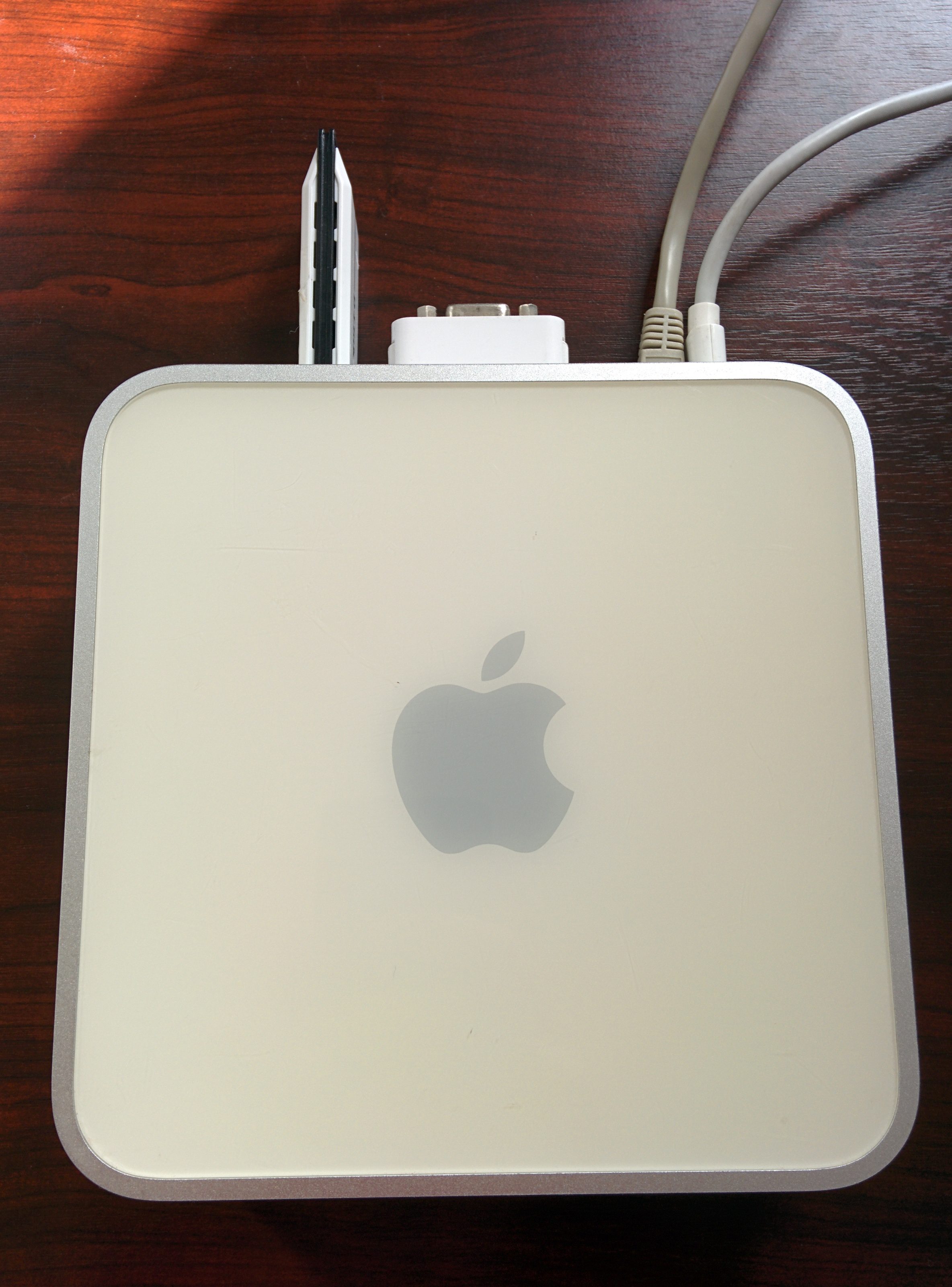
I’m selling a Mac Mini 1.5Ghz G4 (PowerPC) with 512Mb ram. It has a 80Gb disk in it (7200 rpm I believe, but not sure). It runs Linux like a charm, and is a perfect server (and WAY faster than a Raspberry Pi).

IMG_20140418_104714 IMG_20140418_104725

I believe the latest version to run was Mac OS X Tiger (10.4).

It comes with the power adapter, a DVI to VGA adapter, and in the picture below is the optional WiFi adapter.

Mac OS X Mavericks + VLC top bar

· apple, errors, software

Mavericks, and its new "multi display support" adds a grey-ish bar to the top of VLC when watching anything full screen.

VLC-fullscreen-header

I never found a way to get rid of it, and it has annoyed me ever since. Until yesterday...

This is how to get rid of it:

  1. play movie
  2. drag to 2nd screen
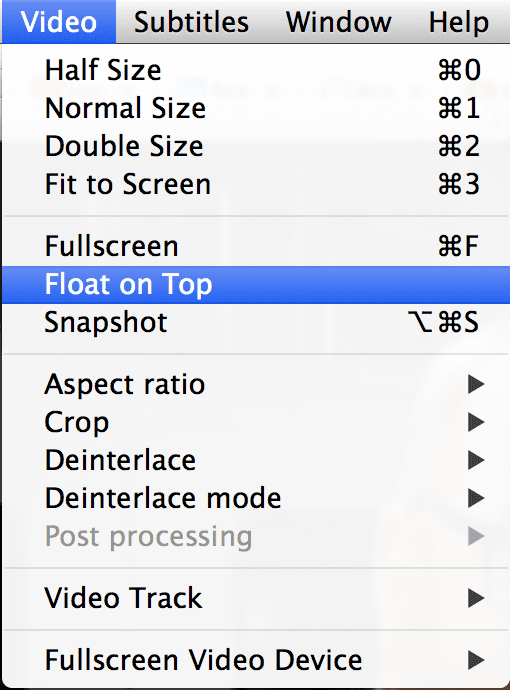
  3. click Video > Float on Top
  4. go full screen (cmd+F or Video > Fullscreen)

float-that-shit

Mac os (Mountain) Lion + external display + sleep when closing the lid

· apple, errors, hardware, software

I recently dared to upgrade from Snow Leopard (10.6) to Mountain Lion (10.8), skipping Lion (10.7) altogether.

One of the mayor disturbances I had, was when I was using my Macbook Pro at my home office. I use an external display (some Samsung SyncMaster) as well as my MBP’s main display.

I put my MBP to sleep by simply closing the lid, keeping the power source and external display attached.

Compile wget on Mac OS X

· apple, software, www

There's a precompiled wget available on the net, but it's not automatically accepting StartSSL's certificates. And as it seems, there's a wget update available that did.

This is what I had to do to compile it on my Macbook Pro;

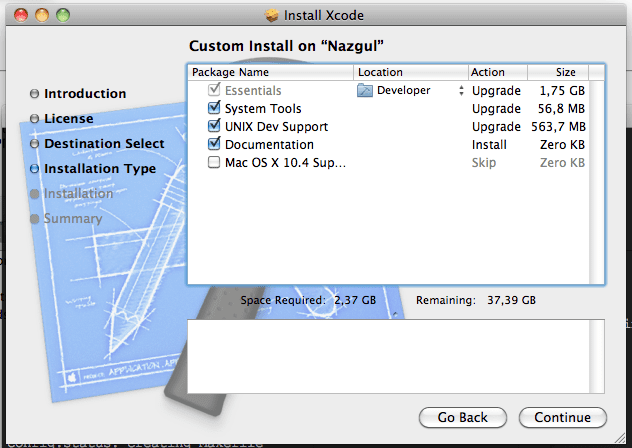
  • Install Xcode, if you haven't, and be sure to select UNIX Dev Support.

Or you'll get this error:

configure: error: C compiler cannot create executables
  • Export Xcode's gcc PATH:
PATH=/Developer/usr/bin/:$PATH
  • Download wget
  • In Terminal: untar it
tar xvzf wget-latest.*
  • And compile it
cd wget directory
./configure
make
sudo make install
  • In case you had an old (precompiled) wget installed;
    remove that version first (/usr/bin/wget probably).
    By default, this one will install itself in /usr/local/bin/wget which should be in your $PATH as well (in case it's not, make a symlink from the old /usr/bin/wget to /usr/local/bin/wget, or recompile with other installation directories).

Java + Angry IP Scanner error

· apple, errors, software

Angry IP scanner was quitting each time I started the application, and looking at Console I saw these errors:

06/11/08 11:34:15 [0x0-0x1f01f].net.azib.ipscan[190] [JavaAppLauncher Error] CFBundleCopyResourceURL() failed loading MRJApp.properties file
06/11/08 11:34:15 [0x0-0x1f01f].net.azib.ipscan[190] [JavaAppLauncher Error] CFBundleCopyResourceURL() failed while getting Resource/Java directory
06/11/08 11:34:15 [0x0-0x1f01f].net.azib.ipscan[190] [LaunchRunner Error] No main class specified
06/11/08 11:34:15 [0x0-0x1f01f].net.azib.ipscan[190] [JavaAppLauncher Error] CallStaticVoidMethod() threw an exception
06/11/08 11:34:15 [0x0-0x1f01f].net.azib.ipscan[190] Exception in thread "main" java.lang.NullPointerException
06/11/08 11:34:15 [0x0-0x1f01f].net.azib.ipscan[190]  at apple.launcher.LaunchRunner.run(LaunchRunner.java:112)
06/11/08 11:34:15 [0x0-0x1f01f].net.azib.ipscan[190]  at apple.launcher.LaunchRunner.callMain(LaunchRunner.java:50)
06/11/08 11:34:15 [0x0-0x1f01f].net.azib.ipscan[190]  at apple.launcher.JavaApplicationLauncher.main(JavaApplicationLauncher.java:61)
06/11/08 11:34:15 com.apple.launchd[97] ([0x0-0x1f01f].net.azib.ipscan[190]) Exited with exit code: 1

After some googling I came upon this website.