#Bash

4 posts tagged Bash

PoC: Betteruptime + Python-kasa

· hardware, linux, networking, software

Content Update

The provided scripts have been updated on 16 Jul 2023. Specifically the SmartStrip part was not working as intended.


I've been a big fan of Betteruptime. I've started using it to monitor all my assets online (websites, DNS, ping, successful script runs) as well as my servers (using heartbeats).
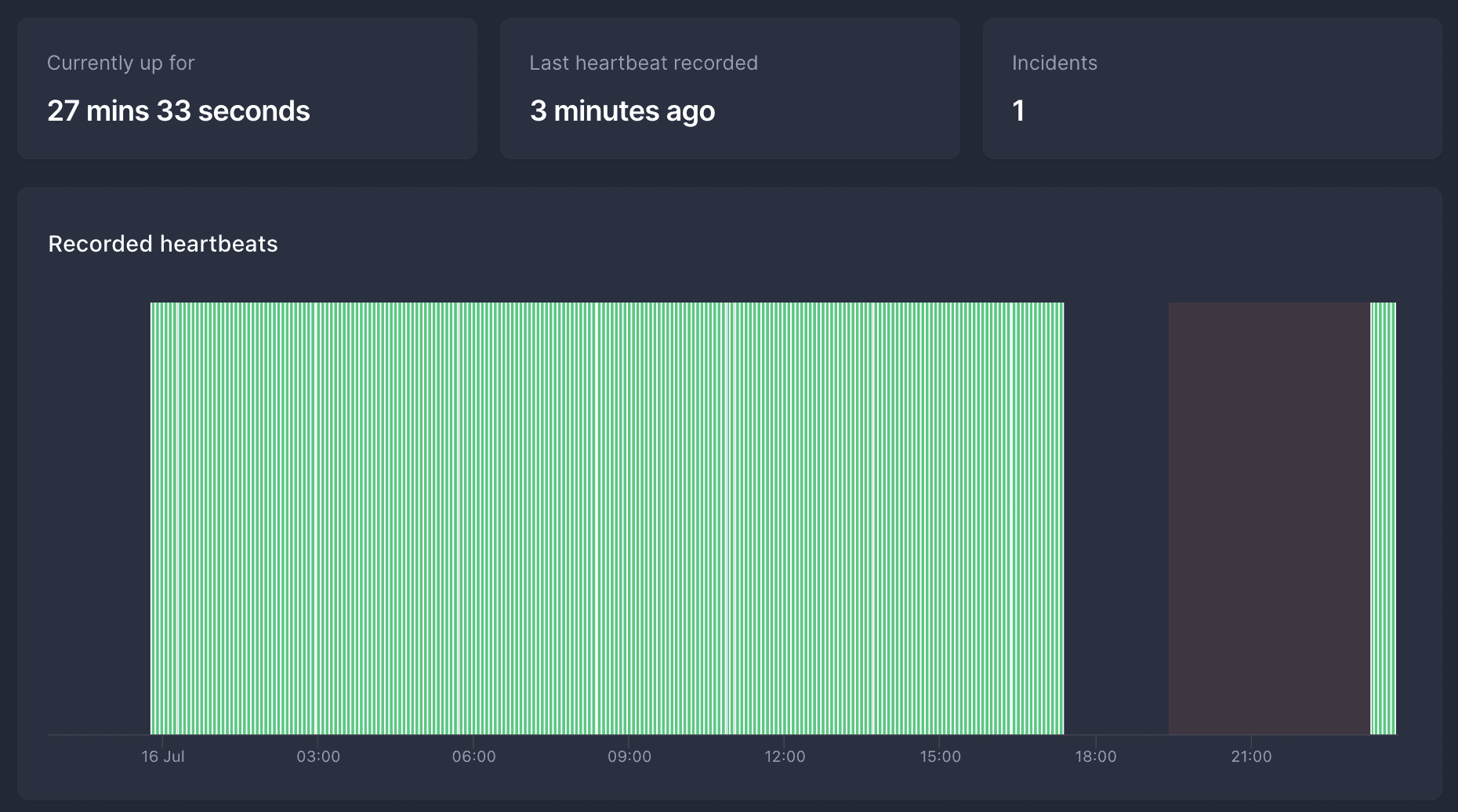
Screenshot of Betteruptime showing a heartbeat that failed for several hours.
Image of a heartbeat that failed for several hours. After 2 hours of no hearbeat, it turned into an incident, and several hours later the heartbeats resumed.

I have a few Raspberry Pi's, and once in a while they hang (not sure why, maybe USB-to-SSD issues or something). Nothing too critical, but annoying.

OpenVPN: Can't assign requested address

· apple, errors, linux, networking, software

For no clear reason, OpenVPN on Mac with Tunnelblick (any version, had this problem for a few years already) results in these kind of error messages (and refuses to connect):

2013-02-05 17:44:31 write UDPv4: Can't assign requested address (code=49)
2013-02-05 17:44:33 write UDPv4: Can't assign requested address (code=49)

This seems to appear more often when swapping WiFi/IP range (after my Mac goes into sleep). But also happens when connecting to the same WiFi. It doesn’t change anything whether I disconnect OpenVPN before putting the Mac to sleep.

Prowl: check server status (using ping)

· apple, linux, networking, software

Yesterday I’ve start using Prowl, as I heard good comments about it. And one of the things I want it to check, are my server statuses. I made a quick script using bash and crontab to check every 10 min if it replies on ping. Per server, I created “host.domain.tld.sh” (e.g. zero.rootspirit.com.sh), and added this in the file:

#!/bin/bash
KEY=YourApiKey
HOST=zero.rootspirit.com
ping -c 1 $HOST   &>/dev/null
if [ $? -ne 0 ] ; then
curl -k -s "https://prowl.weks.net/publicapi/add?apikey=$KEY&application=Server%20Connectivity%20Failure&event=&description=$HOST&priority=2"
fi

Of course, change KEY to your API key, HOST to the IP or DNS of the server it should ping. Also, make sure, that when pinging on your host where you’ll run the bash script on, a non-existing domain actually returns: