Software

231 posts in Software

Error! Bad return status for module build on kernel: 4.19.0-8-amd64 (x86_64)

· linux, networking, software

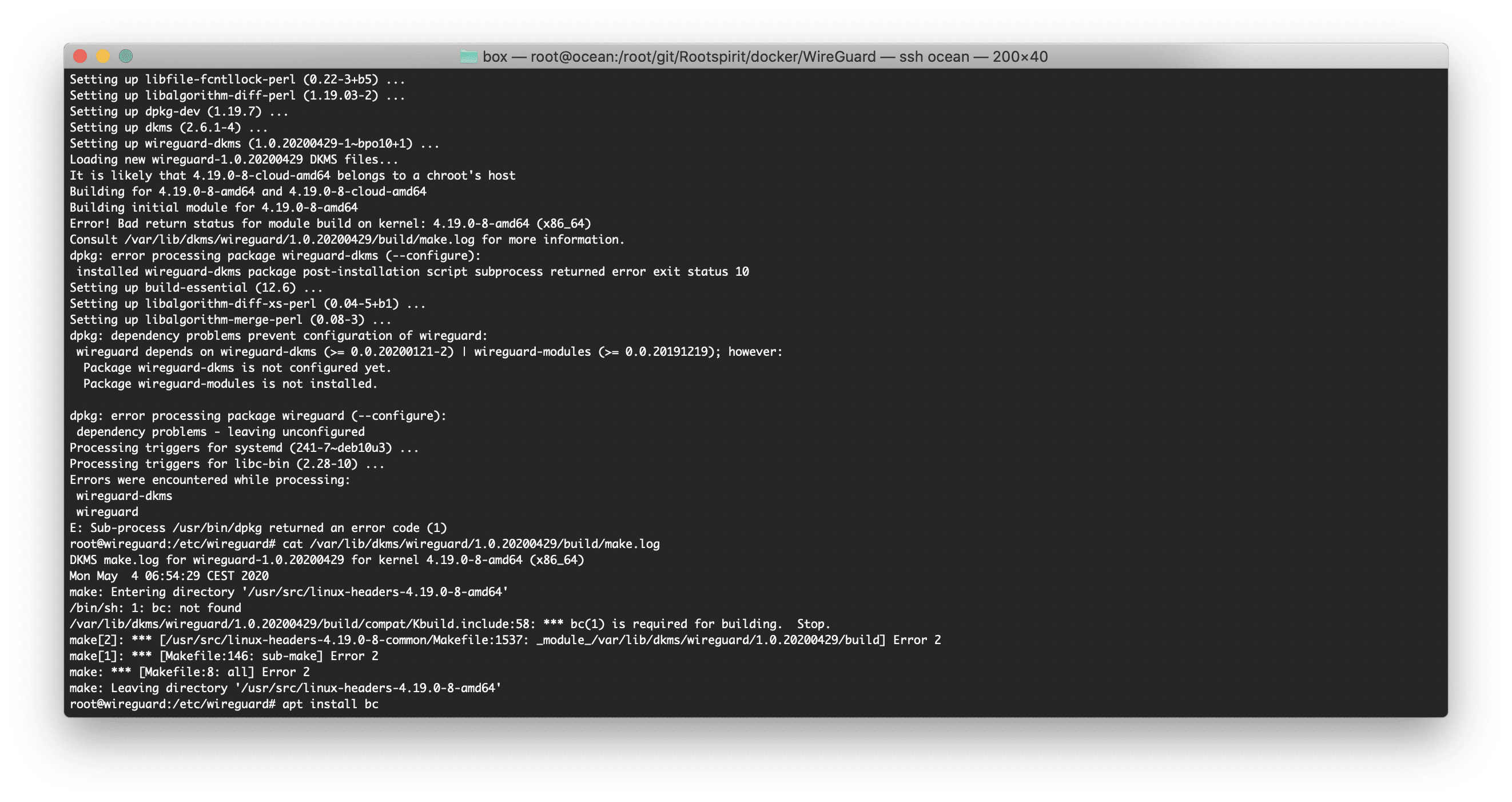
I was rebuilding my WireGuard Docker container today and this error started popping up:

Setting up dkms (2.6.1-4) ...
Setting up wireguard-dkms (1.0.20200429-1~bpo10+1) ...
Loading new wireguard-1.0.20200429 DKMS files...
It is likely that 4.19.0-8-cloud-amd64 belongs to a chroot's host
Building for 4.19.0-8-amd64 and 4.19.0-8-cloud-amd64
Building initial module for 4.19.0-8-amd64
Error! Bad return status for module build on kernel: 4.19.0-8-amd64 (x86_64)
Consult /var/lib/dkms/wireguard/1.0.20200429/build/make.log for more information.
dpkg: error processing package wireguard-dkms (--configure):
 installed wireguard-dkms package post-installation script subprocess returned error exit status 10
Setting up build-essential (12.6) ...
Setting up libalgorithm-diff-xs-perl (0.04-5+b1) ...
Setting up libalgorithm-merge-perl (0.08-3) ...
dpkg: dependency problems prevent configuration of wireguard:
 wireguard depends on wireguard-dkms (>= 0.0.20200121-2) | wireguard-modules (>= 0.0.20191219); however:
  Package wireguard-dkms is not configured yet.
  Package wireguard-modules is not installed.

dpkg: error processing package wireguard (--configure):
 dependency problems - leaving unconfigured
Processing triggers for systemd (241-7~deb10u3) ...
Processing triggers for libc-bin (2.28-10) ...
Errors were encountered while processing:
 wireguard-dkms
 wireguard
E: Sub-process /usr/bin/dpkg returned an error code (1)

The solution was to install bc. Seems like Debian is not pulling the right dependencies. I'll be adding it to my Dockerfile.
WireGuard

· linux, networking, software

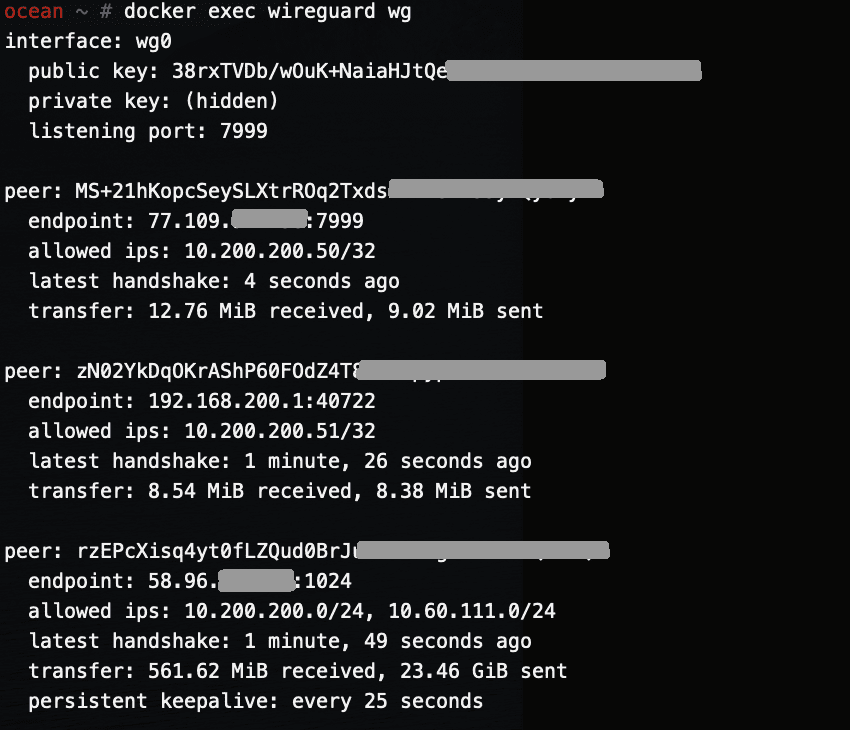
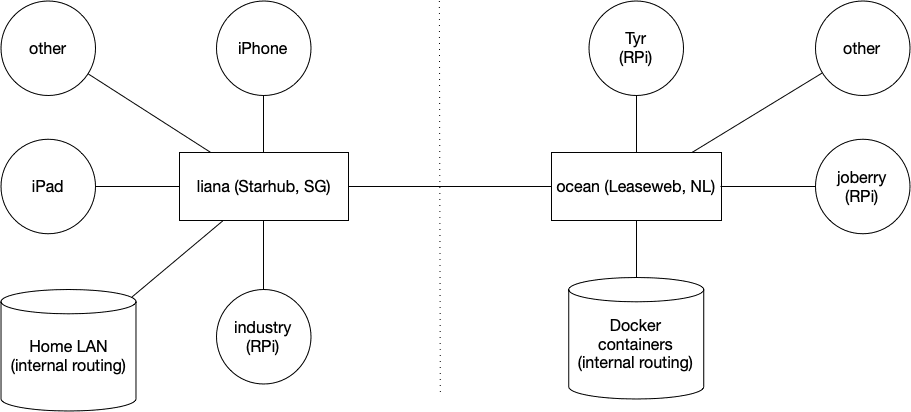
This is the first post of several. Next posts will focus on running WireGuard inside a Docker container on amd64 Linux and a Raspberry Pi.

I've been running WireGuard for a few months now and I've been loving it.

I first started using it about a year ago when in China — OpenVPN was once again being actively blocked and it was driving me nuts. Overnight I set up a DigitalOcean server in Singapore and ran WireGuard from it — both my phone and laptop were able to actively bypass the GFW and (at that time) surf the internet freely once more. As WireGuard gains popularity, I am sure the GFW will start detecting it — it's a quiet but not a stealthy protocol.

Box — Docker shell server

· apple, linux, networking, software, virtualisation

A couple of months ago I had the great idea to set up a shell server in Docker. Simply because my docker skillz were quite rusty and a shell server was something I actually genuinely needed.

Shell servers... so 2005. I remember in the good old IRC days people asking for (free) shell servers to run their eggdrop and stuff. OMG am I getting old? Anyhow...

Postfix & Courier & Letsencrypt

· linux, networking, software, www

First of all, create your certificates (the regular way). I created one with multiple domains: webmail.rootspirit.com, mail.rootspirit.com, smtp.rootspirit.com.

In my case, as the mailserver and webserver are behind a proxy (postfix, imap, Roundcube Webmail), I create the certificate on the proxy (nginx) and scp the cert to the mail server. All this is automated with a tiny script.

For Postfix, edit main.cf and change/edit/add these lines (check the right path too!):

smtpd_use_tls = yes
smtpd_tls_key_file = /etc/ssl/letsencrypt/webmail.privkey.pem
smtpd_tls_cert_file = /etc/ssl/letsencrypt/webmail.fullchain.pem
smtpd_tls_received_header = yes
smtpd_tls_session_cache_timeout = 3600s
tls_random_exchange_name = /var/run/prng_exch
tls_random_source = dev:/dev/urandom
smtpd_tls_exclude_ciphers = aNULL, eNULL, EXPORT, DES, RC4, MD5, PSK, aECDH, EDH-DSS-DES-CBC3-SHA, EDH-RSA-DES-CDB3-SHA, KRB5-DES, CBC3-SHA
smtpd_tls_dh1024_param_file = /etc/ssl/postfix/dhparams.pem
smtpd_tls_auth_only = yes
smtp_tls_security_level = may
smtpd_use_tls=yes
smtpd_tls_security_level=may
smtpd_tls_session_cache_database = btree:${data_directory}/smtpd_scache
smtp_tls_session_cache_database = btree:${data_directory}/smtp_scache
smtpd_tls_loglevel=1
smtp_tls_loglevel=1

And restart postfix: /etc/init.d/postfix restart

Belgian banks & SSL — part 5

· linux, networking, software, www

Minor end of year update. No big SSL exploits have been released since (bar DH, see below).

Once again, this is testing the public websites I can access. There might be other gateways, APIs, etc that are not (as) secure.

It’s worthy to note that some banks are serious about security and fixing their SSL. Most improved their rating and solved all issues (especially getting rid of SHA1 in the chain). However, a couple lowered from B to C (see below). But… No more F’s. :)

Waze not getting a GPS fix

· errors, google, hardware, software

TL;DR: recalibrate your compass.

I’ve come across an issue for the past 10 days that Waze kept losing its GPS fix. This meant:

  • constantly switching between 0 and 120 (or whatever) km/h
  • constantly zooming in & out on maps (dynamic zoom level depending on speed)
  • being in a field/not on the road for most of the time, or stuck to a location of many minutes ago
  • often & randomly losing GPS fix (ie middle of the highway without any buildings blocking the line of sight)
  • I could do a 45 minute trip with Waze never getting a GPS fix
  • not knowing road issues (accidents, traffic jams ahead, speed traps, etc)
Things I tried:
  • nothing changed (no new car window, didn't move my phone location in the car, etc)
  • not moving (ie parked car) didn't really improve the GPS fix
  • even left my phone with Waze on in the car for 30 minutes parked (got a fix, but later that evening when driving home it started to lose its GPS fix again)
  • clear Waze cache
  • uninstall Waze completely
  • GPS Essentials showed a fix with 3 or more GPS satellites when Waze couldn't get a fix
  • I was about to find a way to reset my GPS and/or clear its cache (???)
PS: I have had this issue in the past (I believe with the same phone, a Nexus 5), but it went away after several days.

What I did notice, however, is that in Google Maps the arrow (clicking the pin point button twice or something) was pretty much showing the opposite direction of how the car was moving (thus driving backwards at ~120km/h). This made me think, as I know the GPSes in smartphones are quite cheap and aren’t always on (to save battery – my phone is always being charged in the car though) and the phone uses the accelerometer and other sensors to “guess” current path (or rather, path changes, ie taking a turn or slowing down/accelerating).

Proximus Innovation: D-Link DCS-2132L

· hardware, misc, networking, software

Proximus Innovation team handed me a D-Link DCS-2132L (ver. B1) to play with. I have some experience with, what is considered, a professional (~€120 + tax) PoE surveillance camera: the Unifi Video Camera (basic version).

Amazon retails this D-Link for around €120 (including tax). So it’s worth noting it’s almost the same price as a metal, semi outdoor, cloud based camera.

The first things I noticed unpacking:

  • Plastic. And it feels very plastic.
  • Indoor only.
  • The base is a bit light if you just want to set it on a table without screwing it or using glue. The utp and power cable can make it trip easily.
  • No PoE (power-over-ethernet).
  • Infrared (you can clearly hear the filter 'clicking' when booting up the camera)

This thing comes with ethernet, and, surprisingly, with WiFi. That’ll make it easier to use in small shops. There’s also an option to add a micro SD card as local storage.